
Ripper Ransomware Decryptor
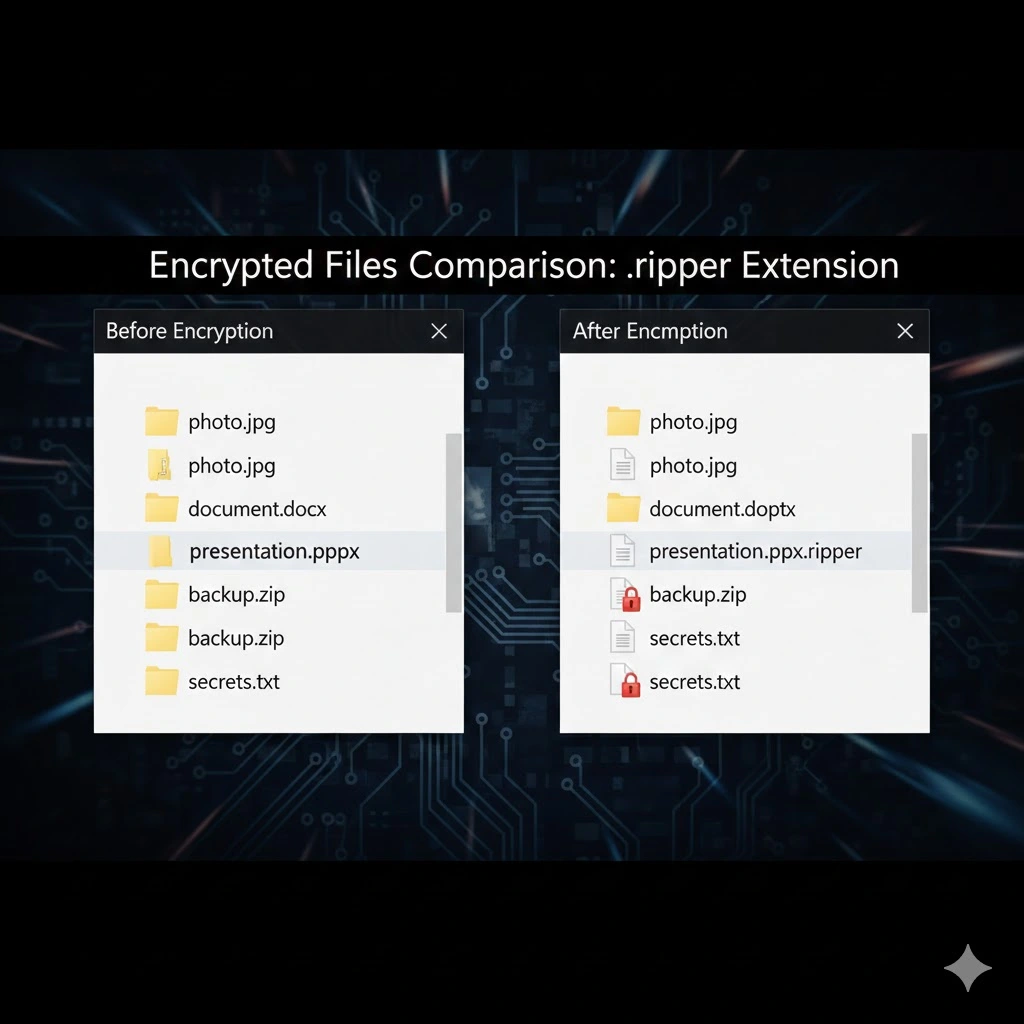
The Ripper variant, a member of the MedusaLocker family, executes a devastating attack by encrypting files and appending the .ripper12 extension, effectively holding your data hostage. A file like my_contract.pdf become client_contract.pdf.ripper12, and a critical database myimportant.sql is rendered useless as myimportant.sql.ripper12. Beyond encryption, Ripper deploys a READ_NOTE.html ransom note, alters the desktop wallpaper, and employs a double extortion tactic, exfiltrating sensitive data to leverage against victims.
This guide provides an in-depth analysis of recovery strategies, complete with a frank assessment of the risks involved at each stage, to help you navigate the crisis with a clear understanding of the potential outcomes.
Threat Summary Table
| Attribute | Description |
|---|---|
| Threat Name | Ripper Ransomware |
| Family | MedusaLocker |
| File Extension | .ripper12, .ripper23, .ripper45, .ripper50 |
| Ransom Note | READ_NOTE.html |
| Free Decryptor Available? | No (Publicly) |
| Contact Emails | [email protected], [email protected] |
| Primary TTPs | Phishing, Software Vulns, Pirated Software, Malicious Ads |
| Primary Damage | File encryption, data exfiltration, operational downtime |
The Full Ripper Ransom Note
For verification and reporting purposes, the complete text of the READ_NOTE.html ransom note is as follows:
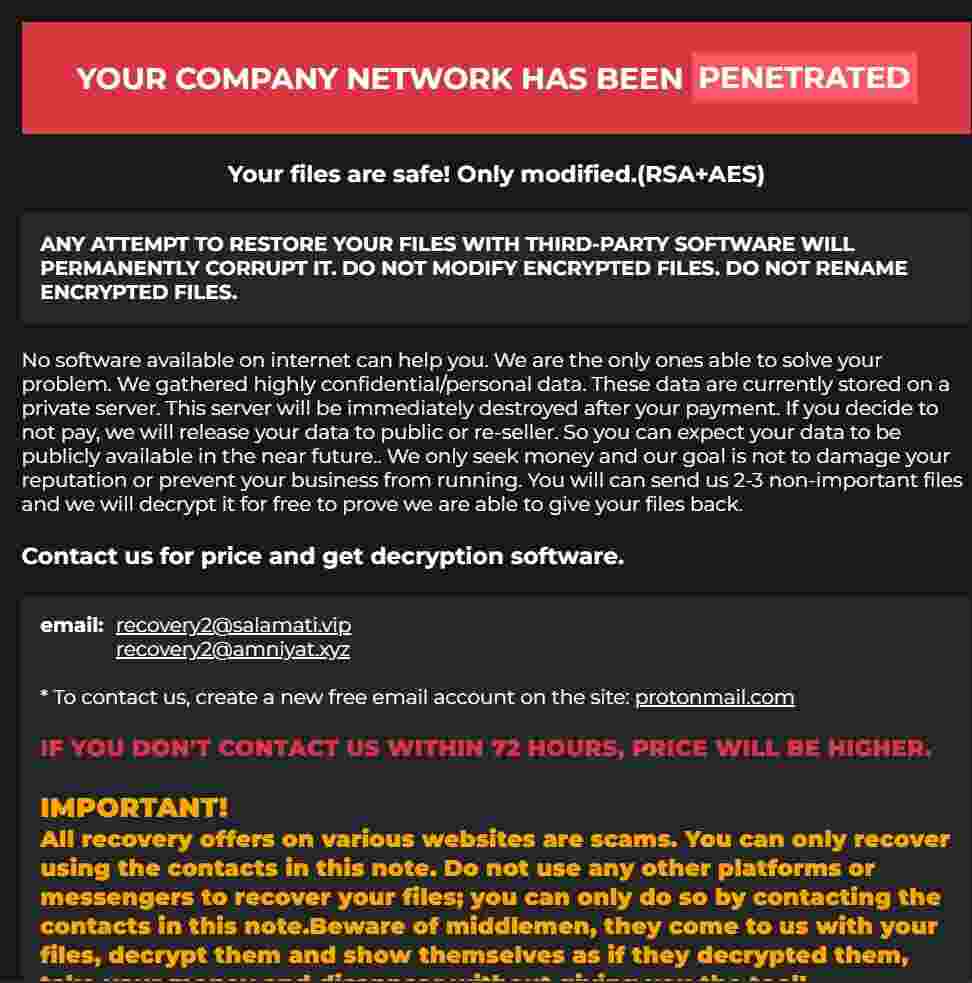
Your personal ID: –
YOUR COMPANY NETWORK HAS BEEN PENETRATED
Your files are safe! Only modified.(RSA+AES)
ANY ATTEMPT TO RESTORE YOUR FILES WITH THIRD-PARTY SOFTWARE WILL PERMANENTLY CORRUPT IT.
DO NOT MODIFY ENCRYPTED FILES.
DO NOT RENAME ENCRYPTED FILES.No software available on internet can help you. We are the only ones able to solve your problem.
We gathered highly confidential/personal data. These data are currently stored on a private server. This server will be immediately destroyed after your payment. If you decide to not pay, we will release your data to public or re-seller. So you can expect your data to be publicly available in the near future..
We only seek money and your goal is not to damage your reputation or prevent your business from running.
You will can send us 2-3 non-important files and we will decrypt it for free to prove we are able to give your files back.
Contact us for price and get decryption software.
email: [email protected]
[email protected]
- To contact us, create a new free email account on the site: protonmail.com
IF YOU DON’T CONTACT US WITHIN 72 HOURS, PRICE WILL BE HIGHER.
- Tor-chat to always be in touch:
Indicators of Compromise (IOCs) and Tactics, Techniques, and Procedures (TTPs)
A thorough understanding of Ripper’s IOCs and TTPs is the foundation of a successful containment and eradication strategy. Federal agencies like CISA and the FBI provide extensive resources on identifying ransomware behavior, which are invaluable for incident responders. You can find detailed information on ransomware TTPs in the CISA’s Ransomware Guide and on the FBI’s IC3 Ransomware Page.
File IOCs:
- Encrypted Files: Any file with the
.ripper12extension. - Ransom Note:
READ_NOTE.html - Malicious Executable: The name varies, often disguised as a legitimate process or installer.
Network IOCs:
- Contact Emails:
[email protected],[email protected] - Command & Control (C2): While specific C2 IPs and domains change frequently, network traffic analysis should look for unusual outbound connections to unknown endpoints.
Process & Registry IOCs:
- VSS Deletion Command:
vssadmin.exe Delete Shadows /All /Quiet - Persistence Registry Key:
HKCU\SOFTWARE\PAIDMEMES - Persistence Mechanism: The ransomware often copies its executable to the user’s AppData directory and creates a scheduled task to run every 15-20 minutes, ensuring persistence even after a reboot.
Tactics, Techniques, and Procedures (TTPs):
- Initial Access (TA0001): Phishing (T1566), Exploit Public-Facing Application (T1190), User Execution (T1204) of pirated software or key generators.
- Execution (TA0002): Command and Scripting Interpreter (T1059) via PowerShell or CMD.
- Persistence (TA0003): Scheduled Task (T1053), Registry Run Keys/Startup Folder (T1547).
- Defense Evasion (TA0005): Impair Defenses (T1562) by terminating AV processes, Indicator Removal (T1070) by deleting VSS copies.
- Impact (TA0040): Data Encrypted for Impact (T1486).
Pre-Recovery Prerequisites: Containment and Eradication
Before any recovery attempt can begin, the environment must be stabilized. Attempting to restore files on an actively infected or uncleaned system is futile, as the ransomware will simply re-encrypt them.
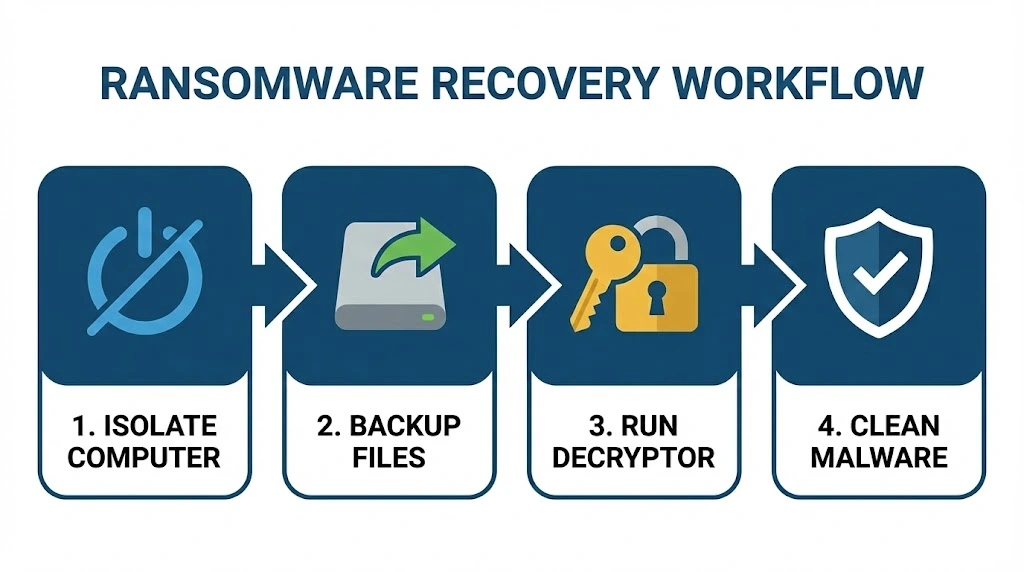
Step 1: Isolate All Systems. Immediately disconnect every affected machine from the network. Unplug Ethernet cables and disable Wi-Fi. If the infection is widespread, isolate entire network segments to prevent further spread to servers and other endpoints.
Step 2: Secure Your Backups. The moment you detect an attack, disconnect all backup devices. If your backups are on a network-attached storage (NAS) or external drive, unplug them from the network. This ensures your last line of defense remains intact and uncompromised.
Step 3: Eradicate the Malware. Do not skip this step. You must remove the ransomware from your systems.
- Boot the infected machine into Safe Mode with Networking.
- Use the Task Manager to terminate any suspicious processes.
- Run a full, deep scan with a reputable antivirus or anti-malware program to quarantine and delete all malicious files.
- Clean the Windows Registry by removing suspicious entries from
HKEY_CURRENT_USER\Software\Microsoft\Windows\CurrentVersion\Runand deleting any rogue scheduled tasks.
Only after you are confident the environment is clean and contained should you proceed to the recovery methods.
Method 1: The Gold Standard – Recovery from Backups
The most reliable, secure, and recommended method for recovering from a Ripper attack is to restore from a pre-existing, clean backup. This is the cornerstone of any robust disaster recovery plan and is heavily emphasized in official guidance from the CISA’s Ransomware Guide and the UK’s National Cyber Security Centre (NCSC).
Step-by-Step Backup Recovery:
- Verify Backup Integrity: Before you begin, you must be 100% certain that your backups are not compromised. Connect a backup device to a known-clean computer (not the one that was infected) and inspect several files from different backup dates. Ensure they do not have the
.ripper12extension and open correctly. If you find any encrypted files in your backup, that backup set is compromised and should not be used.
- Perform a Clean System Rebuild: For maximum security, do not simply restore files over a potentially compromised operating system. The best practice is to wipe the hard drives of the affected machines and perform a clean reinstallation of the operating system (e.g., Windows, Linux). This guarantees that no hidden malware remnants remain.
- Reinstall Applications and Drivers: Once the OS is reinstalled, reinstall all necessary applications, drivers, and security software. Configure them according to your security policies.
- Restore Data: Now, you can safely restore your data. Connect your verified, clean backup device and copy your files back to their original locations. If you are using a cloud backup service with versioning, log in and restore your files from a point in time that is definitively before the ransomware attack occurred.
Method 2: The Advanced Solution – Using a Specialized Decryptor
When no viable backups exist, the situation becomes far more critical. The next logical step is to seek out a specialized decryption tool. Our Medusa Decryptor is engineered specifically to combat MedusaLocker and its variants, including new threats like Ripper.
How the Medusa Decryptor Works:
This tool is not a simple brute-force utility. It leverages a sophisticated, multi-layered approach to bypass the encryption:
- AI-Powered Analysis: The tool uses advanced artificial intelligence to analyze the cryptographic implementation of the specific Ripper sample. It searches for flaws, patterns, or vulnerabilities in how the encryption keys are generated or stored on the infected system.
- Blockchain Technology: We utilize a decentralized, blockchain-based infrastructure to securely share and aggregate intelligence on new ransomware variants. This allows our system to rapidly learn from new infections worldwide, identifying potential decryption keys or exploits faster than centralized systems.
- Online Server Network: Our powerful online servers perform the heavy computational lifting required to test potential keys and exploit any weaknesses found by our AI analysis. This distributed computing power is essential for tackling the complex RSA+AES hybrid encryption used by Ripper.
While a public free decryptor for Ripper is not yet available, our team is actively analyzing the variant. The Medusa Decryptor is constantly updated to incorporate new findings, and it represents the most promising non-ransom-paying path to recovery for victims of this family.
Method 3: Last Resort – Leveraging Recovery and Repair Software
If backups and a decryptor are not options, the chances of full recovery diminish significantly. However, you can employ a suite of powerful recovery and repair software in a last-ditch effort. It’s crucial to understand that these tools do not “decrypt” files; they attempt to recover data that the ransomware may have left behind.
Specialized Ransomware Decryption Tools
Several security companies maintain extensive libraries of free decryption tools. While there isn’t one for Ripper yet, checking these resources is a critical step.
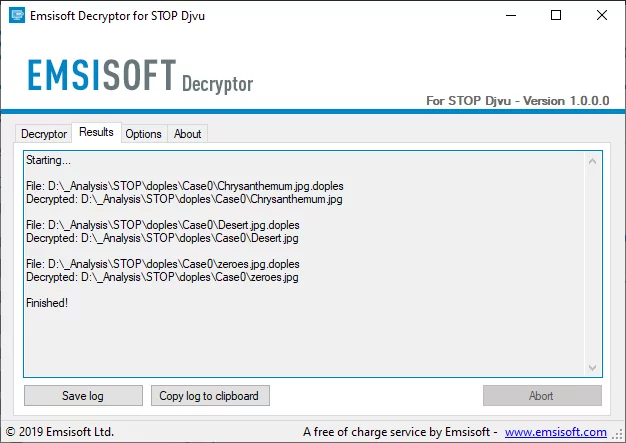
- Emsisoft Emergency Kit & Decryptors: Emsisoft currently offers numerous free ransomware decryption tools. Their tools are ideal for quick incident response and are a valuable asset in any cyber defense toolkit. Even if a specific decryptor doesn’t exist, their Emsisoft Emergency Kit is a powerful scanner to ensure the system is completely clean.
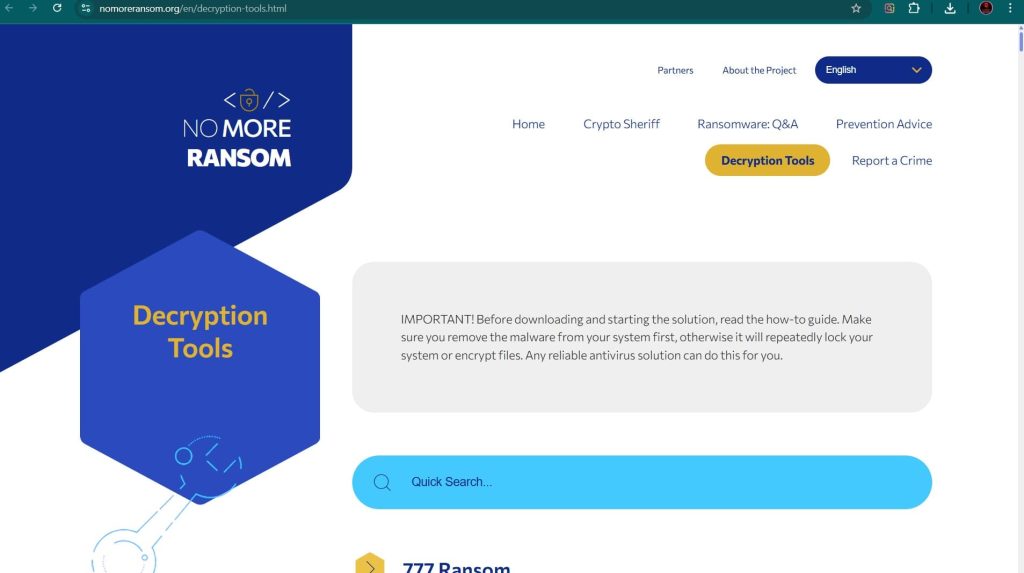
- No More Ransom Project: This is a joint initiative by law enforcement and IT security companies. Their website offers a wide array of decryption tools from various contributors. It’s an essential first stop to check for a newly released decryptor.
- Kaspersky RakhniDecryptor: Kaspersky also provides a free decryption tool that can handle a variety of ransomware families. It’s another excellent resource to check for solutions.
All-in-One Toolkits and Undeleting Utilities
These tools focus on the raw data on the disk, looking for remnants of the original files.
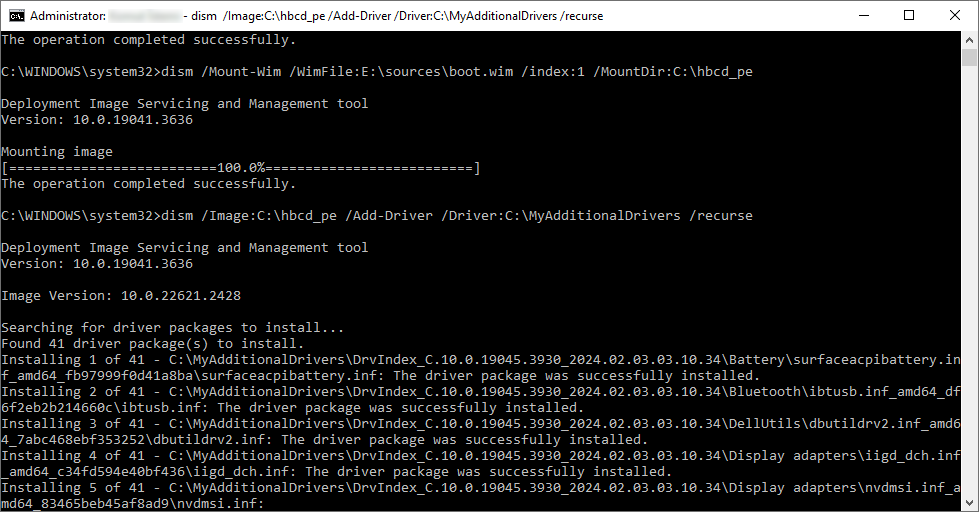
- Hiren’s BootCD PE: This legendary bootable toolkit allows you to work on the infected drive without booting into the compromised Windows environment. It includes tools like Recuva and PhotoRec, which can be used to scan for deleted files or perform file carving to recover raw data.
- Recuva (by CCleaner): This is a user-friendly undelete tool. Its “Deep Scan” mode can search for traces of deleted files even after the drive’s filesystem has been modified. The chances of success are low against modern ransomware but it is quick to try.
- PhotoRec (by CGSecurity): This is a powerful, open-source file carving utility that ignores the filesystem and searches for recognizable file headers. It can be slow and may not recover filenames or folder structures, but it can sometimes bring back critical file content.
- EaseUS Data Recovery Wizard: This is a commercial product with a free trial. It is a more comprehensive and user-friendly data recovery suite that can recover files from formatted, corrupted, or inaccessible drives. It may be able to find file fragments that other tools miss.
- Stellar Data Recovery: Similar to EaseUS, Stellar is another powerful commercial recovery tool that offers robust features for recovering lost data, including from encrypted drives.
Method 4: Recovery of Storage Devices (NAS, DAS, SAN)
Networked storage devices are often high-value targets for ransomware because they contain vast amounts of critical data. Recovering these requires a specific approach.
Step 1: Isolate the Storage Device. Immediately disconnect the storage appliance from the network. For a NAS or SAN, unplug the Ethernet cable. For a DAS (Direct-Attached Storage), disconnect it from the host server. This is the most critical step to prevent further encryption.
Step 2: Do NOT Use Built-in Recovery Features. Many modern NAS devices have snapshot or rollback features. However, the Ripper ransomware, like other MedusaLocker variants, actively attempts to delete these snapshots. Do not rely solely on these features, but they can be checked after the device is isolated.
Step 3: Leverage Your Backup Strategy. The primary recovery method for storage devices is from a dedicated backup.
- NAS Backups: If you have been backing up your NAS to another device, to the cloud, or using a built-in backup utility to an external location, this is your path to recovery.
- SAN Backups: SANs are typically backed up using enterprise-grade solutions. Work with your storage or backup administrator to initiate a restore from the last known good backup point.
- DAS Backups: If the DAS was part of a regular server backup schedule, restore it as part of the server recovery process.
Step 4: Professional Data Recovery Services. If no backups exist for your storage device, your only remaining option is a professional data recovery service. These services have specialized tools and cleanroom environments to disassemble storage arrays and attempt to recover data directly from the disks. This is an expensive and time-consuming process with no guarantee of success, but it may be the only option for irreplaceable data.
Method 5: Platform-Specific Recovery Strategies
Ransomware often targets server infrastructure, requiring specialized recovery approaches.
- Linux Server Recovery: The primary recovery method is from a tested, offline backup. If backups are not available, tools like
TestDiskandPhotoRec(which have Linux versions) can be used to attempt file carving. This is a complex, low-level process with a low probability of success for recovering intact, structured files. A specialized decryptor for the Linux variant would be required for a chance at recovery. - VMware ESXi Recovery: An ESXi attack encrypts the virtual machine files (
.vmdk,.vmx, etc.) on the datastore.- VM-Level Backups: The best recovery method is to restore the affected virtual machines from a dedicated backup solution like Veeam or Nakivo.
- Datastore-Level Backups: If you have backups of the entire datastore, you can restore it after wiping the host and reinstalling ESXi.
- Decryption: If no backups exist, recovery is extremely difficult. A decryptor specifically for the ESXi variant of Ripper would need to be developed, which is a complex and uncertain process.
System Hardening and Future Prevention
Recovering from an attack is costly. The best strategy is to prevent one from ever succeeding again. This guide from the UK’s NCSC provides excellent preventative measures.
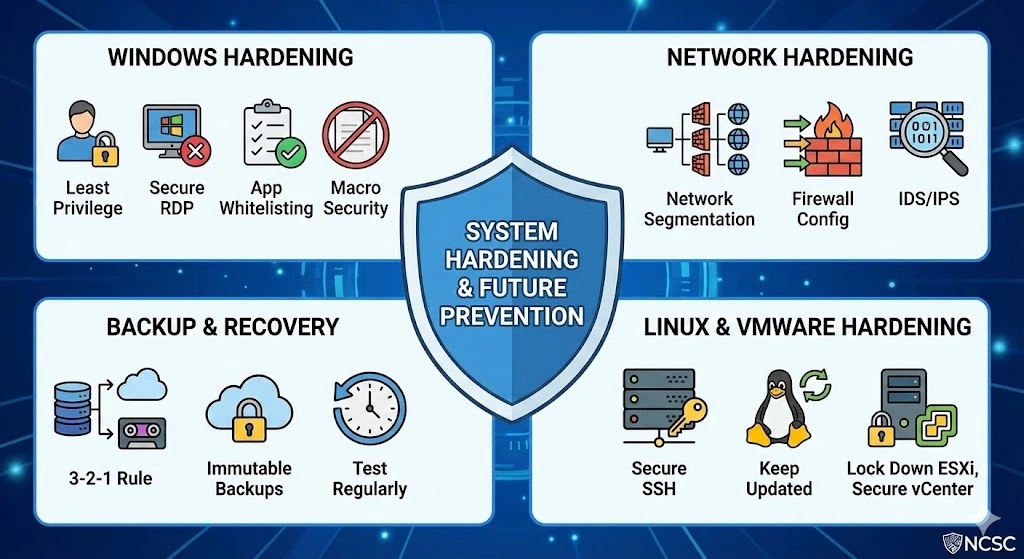
Windows Hardening:
- Implement the Principle of Least Privilege: Ensure users only have access to the data and systems they absolutely need. Do not use administrator accounts for daily tasks.
- Secure Remote Desktop (RDP): Never expose RDP directly to the internet. Use a VPN as the sole entry point. Enforce strong, complex passwords and enable account lockout policies after a few failed attempts.
- Application Whitelisting: Use a security policy that only allows known, approved applications to run. This can prevent the ransomware executable from ever launching.
- Macro Security: Disable macros in Microsoft Office documents by default via Group Policy. Train users to never enable macros from untrusted sources.
Network Hardening:
- Network Segmentation: Segment your network into zones (e.g., user, server, backup). This prevents an infection on a user’s machine from easily spreading to critical servers.
- Firewall Configuration: Configure firewalls to be restrictive by default, only allowing necessary traffic. Block inbound RDP traffic from the internet.
- Intrusion Detection/Prevention Systems (IDS/IPS): Deploy these systems to detect and block known ransomware behaviors and communications.
Backup and Recovery Hardening:
- Follow the 3-2-1 Rule: 3 copies of your data, on 2 different media types, with 1 copy stored off-site and offline.
- Use Immutable Backups: Choose a cloud backup provider that offers immutable storage, where backups cannot be altered or deleted for a set period, even by an administrator with compromised credentials.
- Test Your Backups Regularly: A backup is useless if it cannot be restored. Perform regular test restores to verify your backup integrity and your recovery procedures.
Linux Server Hardening:
- Secure SSH: Disable root login over SSH, use key-based authentication instead of passwords, and change the default SSH port.
- Keep Systems Updated: Regularly apply security patches to the operating system and all installed software.
- Configure a Firewall: Use
iptablesorufwto restrict incoming and outgoing traffic to only what is necessary.
VMware ESXi Hardening:
- Lock Down the ESXi Host: Disable the ESXi Shell and SSH unless absolutely necessary. Use the VMware vSphere Hardening Guide for best practices.
- Separate Management Networks: Place the management network for your ESXi hosts on a separate VLAN from your production VM network.
- Secure vCenter Server: Use strong passwords, enable multi-factor authentication if available, and limit access to the vCenter Server.
Reporting the Ransomware Attack to Authorities
Reporting a ransomware incident is not just a civic duty; it is a critical component of a professional response that can provide you with direct assistance and contribute to national security efforts. Federal agencies like the FBI and CISA have unique authorities and world-class capabilities to assist victims after a cyber incident, as detailed in their official ransomware response guidance.
Why Report?
- Get Assistance: Federal agencies can provide technical assistance and resources to help victims respond to and recover from attacks.
- Disrupt Criminals: Your report provides vital intelligence that helps law enforcement conduct joint investigations and operations against ransomware threat actors.
- Warn Others: Reporting allows agencies to analyze incoming information across sectors to spot trends and quickly share that information with network defenders to warn other potential victims.
How to Report in the United States:
The U.S. government has streamlined the reporting process to make it as simple as possible. A victim only needs to report their incident once to ensure that all relevant agencies are notified, as outlined on StopRansomware.gov.
- Internet Crime Complaint Center (IC3): The primary and easiest method is to file a report with the FBI’s IC3. This provides the public with a reliable and convenient reporting mechanism to submit information to the FBI concerning suspected Internet-facilitated criminal activity.
- Report to CISA: Victims can report their incident directly to the Cybersecurity and Infrastructure Security Agency (CISA). CISA can provide technical assistance and resources to help victims respond to and recover from attacks.
- U.S. Secret Service: The U.S. Secret Service also has a field office network that accepts reports of cyber incidents and provides guidance on how and where to report them.
Official Government Resources:
The U.S. government has launched StopRansomware.gov, a one-stop online platform that integrates federal ransomware resources. This site provides clear guidance on how to report attacks, the latest ransomware-related alerts, and no-cost resources to help organizations protect themselves and improve their cybersecurity resilience.
International Reporting:
For victims outside the United States, reporting procedures vary by country. Member states of the European Union should visit the European Union Agency for Law Enforcement Cooperation (EUROPOL) website and select their country’s specific reporting website or email. If a country does not have a dedicated cybercrime reporting portal, the incident should be reported to the local police station.
Conclusion
Navigating a Ripper ransomware attack is a formidable challenge that tests an organization’s technical resilience and strategic preparedness. The path to recovery is rarely simple and is dictated by the state of your pre-incident defenses. The most assured and professional path to a full recovery is through a clean restoration from verified, offline backups. This method underscores the critical importance of not just having backups, but testing them regularly and storing them securely.
When backups fail, the situation becomes exponentially more difficult. While specialized tools like our Medusa Decryptor offer a beacon of hope by leveraging advanced technologies to find flaws in the ransomware’s code, they are not a guaranteed solution. Last-resort file recovery software provides a sliver of chance but is often no match for the sophisticated data-destruction techniques employed by modern variants like Ripper.
Ultimately, the response to a Ripper infection should be a catalyst for a comprehensive security overhaul. It is a harsh lesson in the necessity of a multi-layered defense: robust endpoint protection, rigorous employee training, strict access controls, and an ironclad backup strategy. Reporting the incident to federal authorities is not just a recommendation but a responsibility that aids in the collective fight against these criminal enterprises. By combining a methodical recovery process with a commitment to long-term hardening, organizations can not only survive a Ripper attack but emerge stronger and more resilient against future threats.
MedusaLocker Ransomware Versions We Decrypt