
Cod Ransomware Decryptor
A Cod ransomware attack can unfold within moments, disrupting routine operations and leaving users staring at files that no longer open. Documents, spreadsheets, photos, and archives suddenly display unfamiliar naming patterns such as:
1.jpg.[2AF20FA3].[[email protected]].cod
This transformation is a hallmark of Cod ransomware, a variant built on the broader Makop family. The altered filename reflects three critical details: the original name, a unique identifier assigned to the victim, and the criminal’s contact address. Once encryption concludes, Cod further asserts itself by dropping a ransom note titled +README-WARNING+.txt, and in many cases, it replaces the desktop wallpaper with a warning message designed to create fear and urgency.
The attackers’ goal is simple: push the victim into fast, emotion-driven compliance. But despite how severe the situation may appear, Cod does not leave victims without options. With a structured response strategy and disciplined recovery process, it is entirely possible to regain control without ever paying extortion demands.
Central to this effort is Cod Decryptor, a forensic and data-restoration platform engineered to evaluate encrypted structures, identify what can be recovered, and guide victims through a complete, safe remediation process.
Regain Control With Our Cod .cod Decryptor
Cod’s ransom note is not merely an instruction file — it is a carefully scripted psychological tool. It insists that files have been stolen and encrypted, claims that only the attackers can return the data, and warns that outside help will worsen the situation or increase costs. This messaging is designed to isolate the victim, making them believe the attackers hold absolute power.
The reality is different.
Victims who rush to pay often receive nothing, and even when a decryptor is sent, it may be defective or incomplete. Makop-based families like Cod, Phobos, and STOP/Djvu are notorious for abandoning victims after receiving payment.
The Cod Decryptor framework offers a safer, evidence-based alternative:
- Deep forensic review of how Cod encrypted each file.
- Safe analysis inside an isolated environment.
- Accurate assessment of what can be restored or reconstructed.
- A guided restoration plan that avoids reinfection.
- Long-term protective recommendations to strengthen security posture.
By replacing uncertainty with technical clarity, victims can move forward with confidence instead of fear.
How Cod Decryptor Supports the Recovery Process
Cod relies on a strong encryption model that cannot be bypassed through guessing or brute force. Effective recovery requires analyzing the specific patterns Cod leaves behind, including:
- the metadata embedded in the renamed files,
- the victim-specific ID appended to each filename,
- the attacker’s email address included in each file,
- changes in file headers,
- and the block-level encryption structure unique to Makop variants.
Cod Decryptor examines these elements to recreate a full picture of the attack. After reviewing enough samples, the system generates a detailed recovery profile tailored to that specific infection — deciding whether partial reconstruction, backup restoration, or a full rebuild is the safest path forward.
Step-by-Step Cod Ransomware Recovery Guide With Cod Decryptor
Assess the Infection
Confirm that files now carry the .cod extension, along with a victim ID and attacker email. Look for the ransom note +README-WARNING+.txt, as well as wallpaper changes indicating Cod’s presence.
Secure the Environment
Disconnect the infected machine immediately. Cod can encrypt files on network shares, mapped drives, and external devices if left connected. Isolating the system prevents additional damage and stabilizes the response environment.
Engage Our Recovery Team
Provide encrypted samples and the ransom note. These artifacts allow analysts to confirm the Cod variant, begin forensic mapping, and provide a recovery timeline.
Run Cod Decryptor
Use administrative privileges to launch the tool. Cod Decryptor securely communicates with our servers to analyze encryption signatures and build a variant-specific recovery model.
Enter Your Victim ID
The identification string included in filenames or the ransom note is essential for constructing the correct restoration profile. Input this ID for precise processing.
Begin the Restoration Process
Start the decryptor workflow and allow the system to complete processing autonomously. It will perform integrity checks, handle file operations, and attempt restoration wherever technically possible.
What You Should Do if You’ve Been Infected
The first reaction to a ransomware attack often determines how the rest of the incident unfolds. Acting impulsively can damage recovery prospects.
Avoid renaming encrypted files.
Changing the filename structure can break the correlation Cod uses for decryption, eliminating recovery avenues.
Do not delete ransom notes or logs.
These files are essential for variant identification and forensic review.
Do not use unverified tools.
Fake decryptors or “free” utilities commonly corrupt encrypted files, permanently destroying the chance of recovery.
Preserve all evidence.
Suspicious attachments, emails, removable media, and system logs provide vital context for reconstruction.
Do not initiate contact with attackers.
Criminal operators exploit fear. Engaging them without professional guidance increases risk and may trigger additional threats.
The correct approach is:
Contain → Analyze → Restore
—not panic-driven experimentation.
Cod Ransomware File Recovery: What’s Actually Possible?
Cod’s encryption is strong, intentional, and mathematically resistant to unauthorized reversal. Successful recovery depends on several factors:
- whether clean, offline backups exist,
- whether encrypted file structures remain intact,
- whether header information survived the encryption routine,
- and whether Cod deployed secondary malware that damaged system integrity.
While no legitimate tool can bypass Cod’s encryption without keys, Cod Decryptor guides victims through reconstruction techniques, evaluates data remnants, and supports full-system rebuilding where necessary.
Even when individual files cannot be saved, full operational restoration — including clean environment rebuilds and synchronized data replacement — remains entirely achievable.
Targets: Windows Endpoints, Network Shares, NAS Storage & External Media
Cod primarily targets Windows environments but does not limit its damage to a single machine. Any drive or folder the infected user can modify may be encrypted. This includes:
- mapped network drives,
- SMB shares,
- NAS-mounted directories,
- USB flash drives,
- external hard disks,
- and cloud-sync locations.
Weak segmentation and broad permissions increase the likelihood of multi-device impact. This is why immediate isolation is essential once the infection is detected.
Communicating During a Cod Incident
Ransomware incidents require careful communication — both internally and externally.
Internal Communication
Employees should be instructed to avoid interacting with affected files and to halt file operations. The IT and security teams must coordinate messaging to ensure that staff members do not inadvertently disrupt forensic processes.
External Communication
When informing clients, partners, or regulatory bodies:
- share only verified, evidence-backed information,
- avoid premature claims about data theft or exposure,
- ensure messaging is reviewed by legal and compliance teams,
- maintain transparency without revealing sensitive details.
A disciplined communication strategy maintains trust while protecting organizational integrity.
Long-Term Hardening & Prevention
Cod infections reveal gaps in security posture. Strengthening the environment requires:
- advanced email filtering and phishing detection,
- mandatory MFA enforcement across accounts,
- timely patch management and vulnerability remediation,
- monitoring tools capable of detecting behavioral anomalies,
- strict least-privilege access policies,
- cloud-security posture reviews,
- and geographically or physically isolated backup solutions.
Hardening is not a single project — it is a continuous operational discipline.
Victim Analytics & Incident Trends
Cod ransomware commonly affects home users, freelancers, small businesses, and mid-sized organizations without formal cybersecurity governance. Environments with out-of-date software, permissive file-sharing policies, or weak email defenses rank among the highest-risk categories.
Cod is opportunistic rather than targeted — but where defenses are weak, its damage is severe.
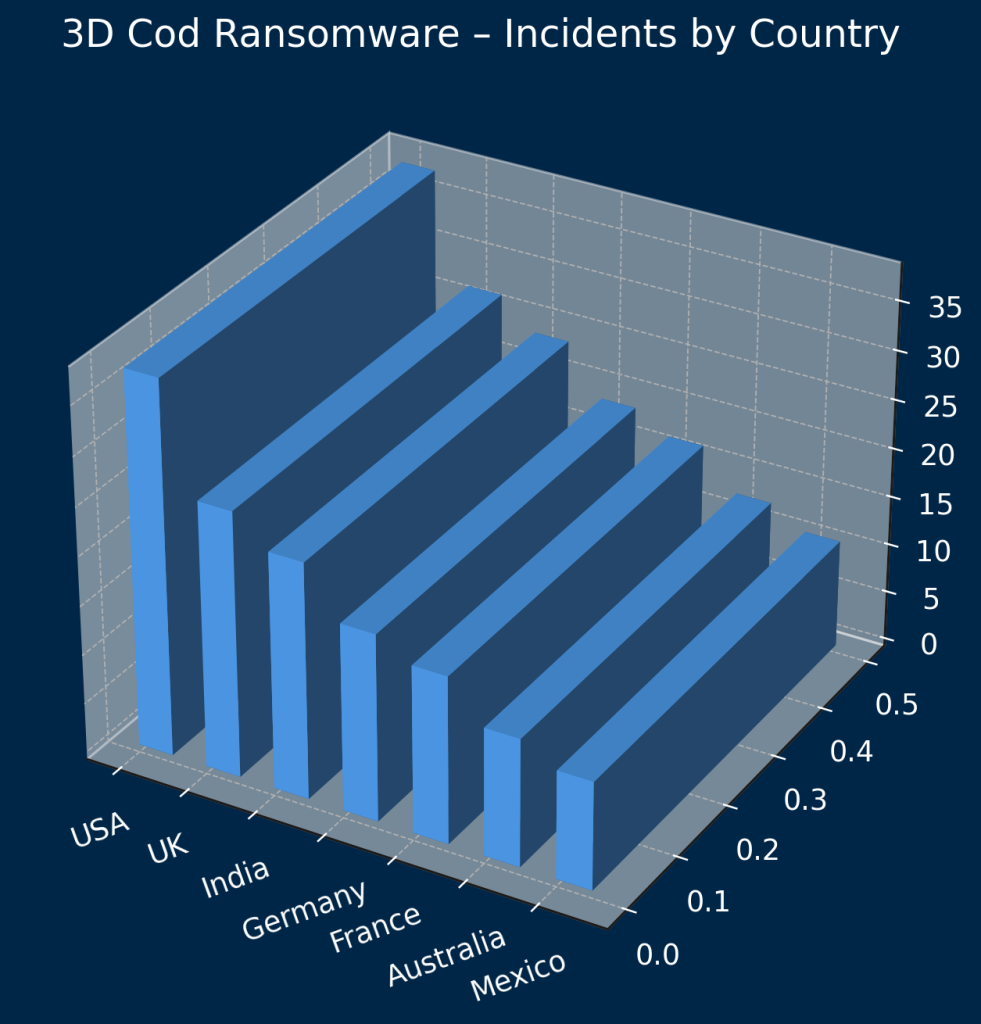
Cod Ransomware – Distribution by Country
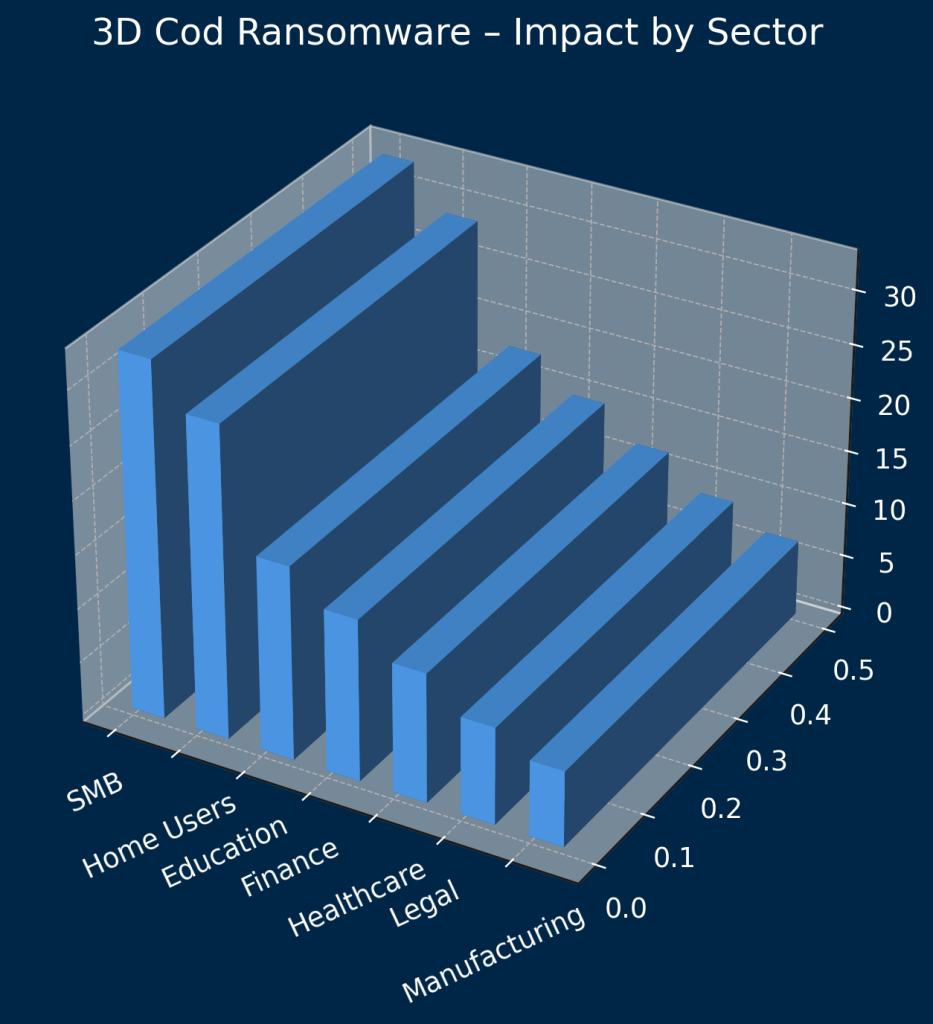
Cod Ransomware – Impact by Sector
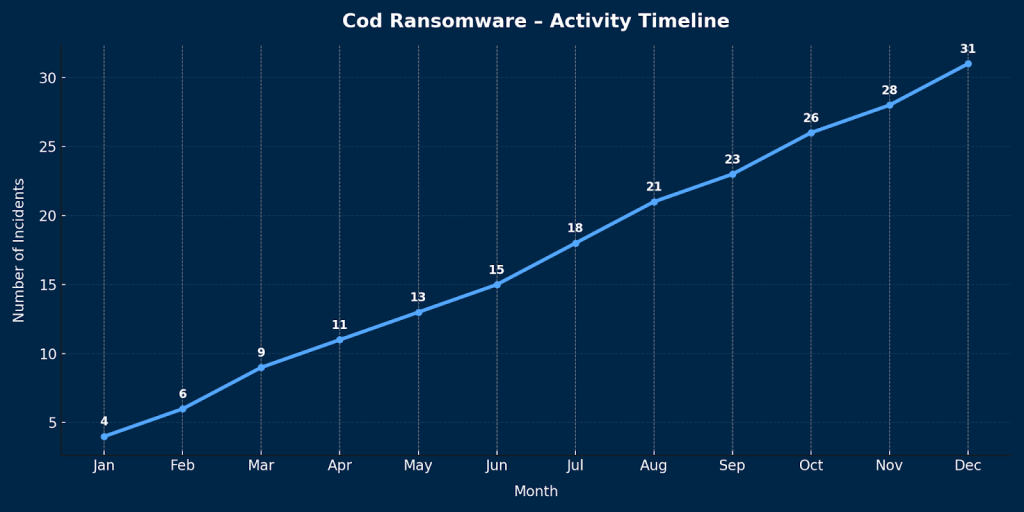
Cod Ransomware – Activity Timeline
Technical Deep Dive: Cod Ransomware Behavior, Lifecycle & Encryption Analysis
Cod ransomware inherits its foundational behavior from the Makop family, a lineage known for predictable file-renaming patterns, reliable encryption performance, and widespread distribution through malicious content. Understanding Cod’s technical behavior equips responders with the insight needed to map infection timelines, assess damage, and eradicate the threat entirely.
Cod’s behavior follows a structured lifecycle, from initial infiltration through encryption and ransom-note deployment.
Cod Ransomware Attack Lifecycle
Initial Access & Delivery Mechanisms
Cod seldom arrives by accident. It is delivered through deceptive content designed to mimic legitimate files. Common infection sources include:
- phishing emails carrying malicious attachments,
- Office files requiring macro execution,
- compressed archives posing as business documents,
- installers disguised as updates or system tools,
- pirated applications and illegal software activators.
In many attacks, Cod is not the first malware on the system. Trojans and loaders previously installed may download and execute Cod silently, allowing it to launch at an opportune moment.
Environment Validation & Anti-Analysis Behavior
After launching, Cod inspects the system to determine whether it is running in an analysis environment. It checks for sandbox characteristics, virtualized hardware, and tools used by malware researchers. If Cod suspects observation, it may halt execution altogether.
This evasion helps Cod remain undetected in the wild.
System Mapping & File Target Enumeration
Cod surveys available storage locations, targeting directories and file types that contain user-created data such as:
- documents,
- spreadsheets,
- media files,
- archives,
- database files.
It identifies removable devices, cloud-sync locations, mapped drives, NAS-mounted folders, and local server resources. Cod intentionally avoids system-critical files to prevent crippling the OS before ransom payment.
Before encryption begins, Cod may terminate processes that lock files, ensuring exclusive access.
Network Interaction & Opportunistic Spread
Cod can encrypt files beyond the local device if permissions allow it. This includes:
- shared project folders,
- SMB shares,
- USB storage devices,
- local server repositories.
Although it does not use advanced lateral movement techniques, Cod relies on access rights already granted to the infected user.
Encryption Execution & Filename Transformation
Once preparation ends, Cod begins encrypting files using a strong algorithm. Each file is overwritten with encrypted data and renamed to include:
- the original filename,
- a unique victim ID,
- the attacker’s email address,
- the .cod extension.
This structure enables attackers to manage victims individually, correlating each case with its corresponding key set.
Without the attackers’ private RSA key, this encryption cannot be reversed.
Ransom Note & Wallpaper Modification
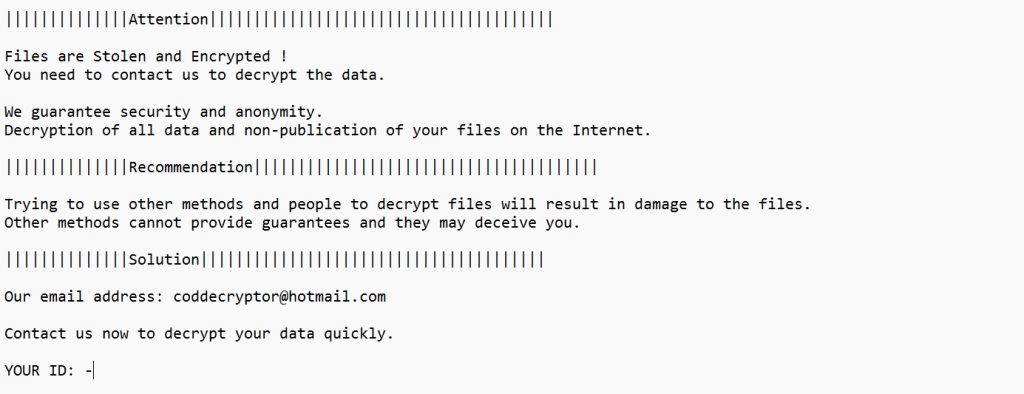
After encryption, Cod creates +README-WARNING+.txt, which includes:
||||||||||||||Attention|||||||||||||||||||||||||||||||||||||||
Files are Stolen and Encrypted!
You need to contact us to decrypt the data.
We guarantee security and anonymity.
Decryption of all data and non-publication of your files on the Internet.
||||||||||||||Recommendation|||||||||||||||||||||||||||||||||||||||
Trying to use other methods and people to decrypt files will result in damage…
||||||||||||||Solution|||||||||||||||||||||||||||||||||||||||
Our email address: [email protected]
Contact us now to decrypt your data quickly.
YOUR ID: –
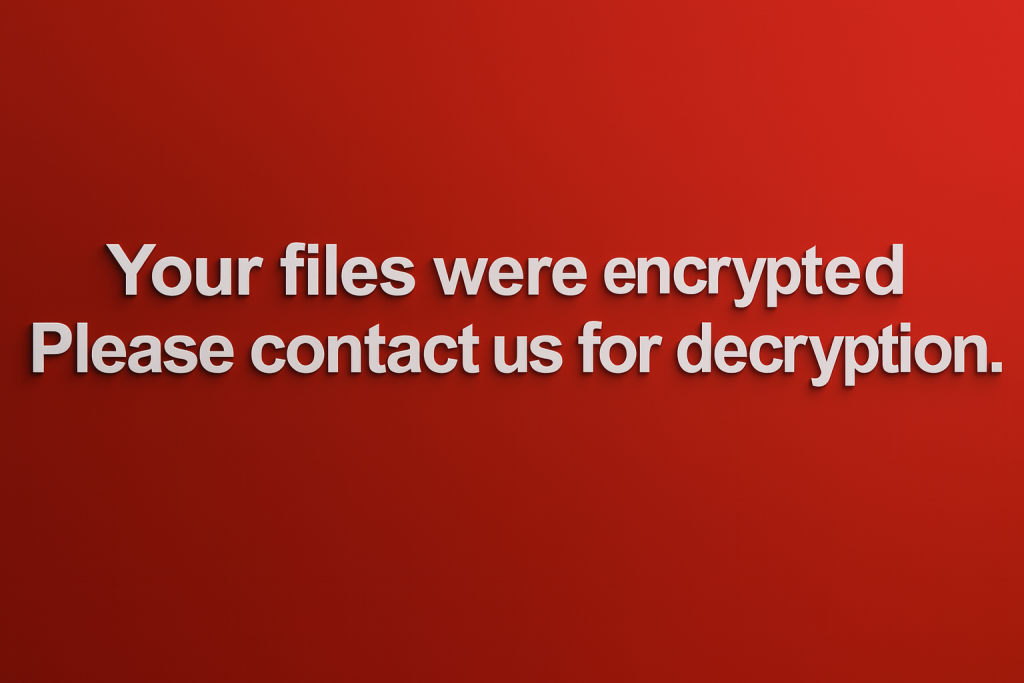
Cod often reinforces this message by modifying the desktop wallpaper.
Optional Cleanup & Persistence Techniques
Depending on the variant, Cod may:
- delete shadow copies,
- erase event logs,
- modify registry entries,
- install credential stealers,
- create scheduled tasks,
- or deploy additional backdoors.
This ensures prolonged access and possible secondary attacks.
Cod Encryption Model Analysis
Cod uses a hybrid cryptographic approach:
Symmetric Encryption for File Content
Cod encrypts file contents using a fast symmetric algorithm, commonly AES.
Asymmetric Encryption for Key Protection
The symmetric key is encrypted with the attacker’s RSA public key.
Without the associated private RSA key, decryption is mathematically impossible.
Structured File Naming
By embedding the victim ID and attacker email within filenames, Cod creates a mapping system that supports targeted ransom management.
This combination prevents unauthorized decryption and forces reliance on backups.
Indicators of Compromise (IOCs)
File-Based IOCs
- Filenames ending in .cod
- Embedded ID strings such as [2AF20FA3]
- Attacker email included in filename
- Presence of +README-WARNING+.txt
Host-Based IOCs
- Modified desktop wallpaper
- Terminated user processes
- Ransom note replication across directories
- Possible presence of keyloggers or loaders
Behavioral IOCs
- Sudden failure to open files
- High disk activity during encryption
- Rapid file renaming
- Removal of shadow copies
Network IOCs
- Connections to untrusted hosts
- Prior downloads of cracked software
- Malicious email attachments associated with the infection
Cod Distribution Techniques
Cod spreads through several high-risk channels:
- phishing emails with disguised attachments,
- P2P and freeware sites hosting infected installers,
- malicious scripts executed during web browsing,
- pirated or illegally activated software tools,
- malvertising-based redirects,
- secondary payloads delivered by trojans.
Multiple layers of security are required to counter this diversity.
Threat Summary
Cod ransomware:
- encrypts user data irreversibly without attacker involvement,
- embeds identifying metadata in filenames,
- uses ransom messaging to intimidate victims into payment,
- may deploy additional malware,
- and targets any location the user has permission to modify.
Its behavior reflects the broader Makop ransomware ecosystem: structured, opportunistic, and psychologically manipulative.
Conclusion
Cod ransomware is engineered to create urgency, fear, and confusion — but victims who respond strategically can regain full control. With proper containment procedures, forensic clarity, and professional restoration through Cod Decryptor, it is possible to stabilize the environment, restore operations, and avoid funding cybercriminals.
Recovery is more than decrypting files — it is rebuilding trust in your systems and fortifying your environment against future attacks.
MedusaLocker Ransomware Versions We Decrypt