
Wiper Ransomware Decryptor
Our Advanced Wiper Recovery Framework: Accuracy, Security, and Digital Forensics
Our cybersecurity division has thoroughly investigated the .ahG5ooth extension infection, a suspected Wiper-style ransomware variant designed to erase or corrupt valuable data while dropping ransom instructions named RECOVERY.txt or RECOVERY.hta.
To counter such threats, we developed a dedicated Wiper Recovery Framework that supports Windows, NAS, and hybrid IT environments. It focuses on forensic integrity, controlled data reconstruction, and authenticity validation during recovery.
How It Works
Behavioral Profiling & Signature Recognition:
Our system studies encrypted or wiped samples to detect distinct wiper tool behaviors. Many wiper attacks append random 8-character extensions, like .ahG5ooth, which our pattern database matches against known destructive malware families.
Selective Data Reconstruction:
Since most wipers permanently remove or corrupt data, our recovery engine attempts to retrieve residual fragments through file slack analysis, journal reconstruction, and unallocated sector recovery.
Safe Read-Only Execution:
Every operation begins in a controlled sandbox with read-only permissions to avoid accidental overwriting or triggering hidden destructive code.
Integrity Assurance:
Any recovered content undergoes checksum verification and cross-comparison with existing backups or partially intact copies to confirm data consistency.
Requirements Before Starting a Wiper Recovery Operation
To initiate forensic recovery or data salvage, you will need:
- A copy of the ransom note, typically RECOVERY.txt or RECOVERY.hta
- Sample encrypted or wiped files (both .ahG5ooth and original versions, if available)
- System metadata, including timestamps, original file sizes, and journaling information
- Administrative or root access on the compromised devices
- Disk images or full forensic captures of affected volumes (for deeper-level analysis)
Immediate Actions to Take After a .ahG5ooth / Wiper Incident
Disconnect the Infected Devices
Immediately isolate compromised computers or servers from the local network, shared drives, and backups to stop further spread or data loss.
Preserve Digital Evidence
Do not delete or move any files — including ransom notes and zero-byte data. Create disk or partition images for forensic experts to analyze later.
Avoid Rebooting or Writing to Disk
Do not restart affected systems or perform any write operations, as this could overwrite recoverable remnants. Some wipers activate additional destructive tasks on reboot.
Consult Professionals Immediately
Because wiper infections typically cause irreversible data loss, it’s essential to involve digital forensic and data recovery specialists early. They can assess the damage and determine what can be salvaged before more information is lost.
Understanding Wiper Ransomware and Its Behavior
The .ahG5ooth strain is widely considered a wiper-type attack, meaning it often pretends to be ransomware but functions as destructive malware. Rather than encrypting files for ransom, it erases or overwrites them, leaving users unable to restore their data — even if they comply with ransom demands.
Common victim observations include:
- Original files such as image.jpg being replaced by image.jpg.ahG5ooth, frequently showing 0 KB size
- Appearance of ransom notes titled RECOVERY.txt or RECOVERY.hta in affected directories
- Notes written in a typical ransomware style, offering “decryption services,” although actual recovery is impossible since the data has been wiped
Ultimately, this is not a reversible encryption scenario — paying does not restore files because the attackers have nothing to decrypt.
Decryption and Recovery Paths for Wiper / .ahG5ooth Infections
Below are all possible methods — from free options to professional-grade recovery — that may help victims minimize loss or reconstruct data.
Free or Native Restoration Techniques
Backup Restoration:
If your offline or external backups remain untouched, restoring from those is the safest and most efficient method. Always verify the backup’s integrity before overwriting any systems.
File System Journals and Shadow Copies:
If the malware failed to remove system logs or shadow copy data, forensic tools may rebuild fragments from journaling information or partial version snapshots.
Snapshot Rollback:
If your environment uses virtual machine snapshots (VMware, Hyper-V, ZFS, or Btrfs), rolling back to a pre-attack snapshot may recover the environment — assuming the ransomware didn’t delete them.
Professional / Paid Recovery and Forensic Options
Data Recovery Services:
Expert data-recovery labs can sometimes retrieve overwritten fragments using low-level disk forensics and hardware-assisted reconstruction. These approaches can take days or weeks depending on the damage extent.
Incident Response & Legal Coordination:
Since .ahG5ooth represents data destruction more than typical ransomware, companies should treat it as a security breach. Professional incident responders help preserve evidence, comply with reporting regulations, and attempt recovery in a controlled way.
Avoid Paying Attackers:
In wiper incidents, paying the ransom rarely helps. The attackers generally lack working decryption keys, and payment only fuels further campaigns.
Inside Our Wiper Recovery Framework
After months of field analysis, we engineered a custom recovery pipeline optimized for .ahG5ooth-type attacks.
Signature and Pattern Matching:
Our forensic module identifies naming structures (random 8-character suffixes) and correlates them with existing wiper behavior models.
Fragment & Slack Space Search:
The tool probes raw storage for unlinked file fragments, unallocated clusters, and leftover journal records to rebuild partial data.
Checksum-Based Validation:
Recovered elements undergo checksum comparison and cross-verification with older backups or similar file structures to ensure accuracy.
Isolated Export Mode:
Recovered data is always exported to separate, clean media for review — original disks remain untouched to preserve evidence.
Step-by-Step Guide for .ahG5ooth Data Reconstruction
Assess the Infection
Confirm the .ahG5ooth suffix on encrypted or damaged files and locate all ransom notes (RECOVERY.txt, RECOVERY.hta).
Secure the Environment
Disconnect affected machines and perform a forensic disk image of every impacted system. Never write directly to these drives.
Involve Recovery Specialists
Submit copies of ransom notes, forensic images, and representative samples to professional recovery experts for analysis.
Run the Wiper Recovery Framework
Execute the recovery tool on forensic copies (either offline or through secure cloud processing) to locate fragments and rebuild file structures.
Provide Victim ID (If Listed)
If the ransom note includes a unique identifier or code, share it with analysts to match it against existing case data.
Begin Controlled Recovery
Launch the reconstruction process. Recovered content is written to a separate output drive, with detailed integrity reports and confidence scoring attached.
Offline and Online Recovery Workflows
Offline Recovery Mode:
Performed locally on forensic disk images in a closed network. Best suited for high-security and government environments where no data can leave the premises.
Online or Remote Recovery:
Used only when necessary — specific fragments or images are securely transmitted to a sandbox for distributed AI-based reconstruction. All transfers are end-to-end encrypted and fully logged.
Both modes are supported, allowing organizations to select the option best aligned with their privacy and compliance requirements.
What Makes Wiper Ransomware Different — And More Dangerous
Wiper ransomware isn’t about ransom — it’s about destruction. Unlike standard ransomware, which uses reversible encryption, wipers corrupt or delete data entirely.
In .ahG5ooth infections, the typical signs include:
- File renaming with random suffixes (e.g., .ahG5ooth)
- Files reduced to 0 KB or replaced with blank data
- Fake ransom notes with decryption claims
- No functioning decryptor or recovery key
Because of its irreparable nature, wiper attacks are often classified as cyber sabotage or politically motivated incidents, not just criminal extortion attempts.
Tools, TTPs, and Attack Patterns Observed
Destruction Utilities:
Malicious disk-wiping modules that overwrite partition tables or MFT records.
Reconnaissance Tools:
Credential dumpers and remote administration programs used to map systems before execution.
Evasion Techniques:
Disabling antivirus protection, deleting logs, and removing restore points to prevent detection.
Data Eradication Methods:
Overwriting free space, deleting journals, and zeroing out drive sectors to ensure no recovery is possible.
IOCs (Indicators of Compromise)
File Artifacts:
- .ahG5ooth file extension appended to user data
- Ransom note files named RECOVERY.txt and RECOVERY.hta
- Truncated or zero-byte file sizes
System Behavior:
- Removal of Volume Shadow Copies and restore points
- File journal tampering and zeroing of clusters
- High-speed sequential writes across large volumes
Network Evidence:
- Unusual RDP or VPN logins prior to wiping
- Large outbound data transfers to cloud services or unknown IPs
Forensic Steps:
- Save ransom notes and affected files
- Compute cryptographic hashes (MD5/SHA256) for evidence
- Create YARA rules based on ransom note strings or binary markers
- Preserve memory dumps and event logs for full incident correlation
Ransom Note Characteristics and Handling
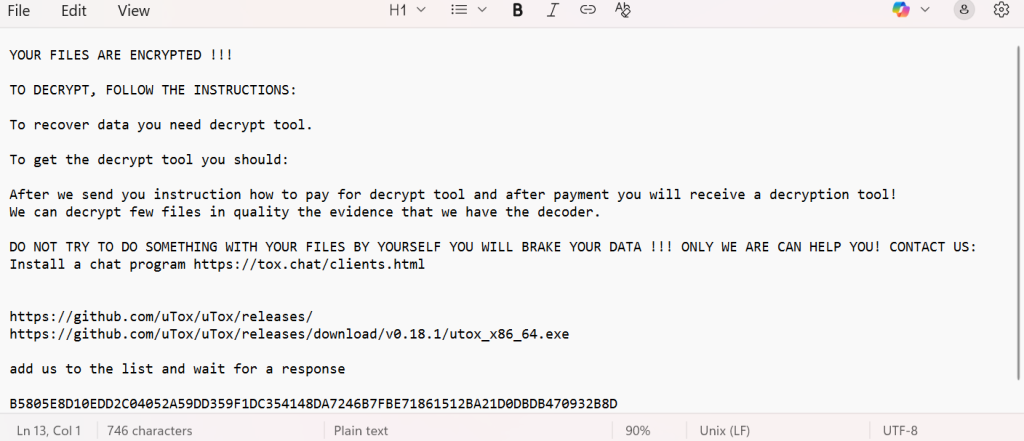
The ransom note typically contains
YOUR FILES ARE ENCRYPTED !!!
TO DECRYPT, FOLLOW THE INSTRUCTIONS:
To recover data you need decrypt tool.
To get the decrypt tool you should:
After we send you instruction how to pay for decrypt tool and after payment you will receive a decryption tool!
We can decrypt few files in quality the evidence that we have the decoder.
DO NOT TRY TO DO SOMETHING WITH YOUR FILES BY YOURSELF YOU WILL BRAKE YOUR DATA !!! ONLY WE ARE CAN HELP YOU! CONTACT US:
Install a chat program https://tox.chat/clients.html
https://github.com/uTox/uTox/releases
https://github.com/uTox/uTox/releases/download/v0.18.1/utox_x86_64.exe
add us to the list and wait for a response
B5805E8D10EDD2C04052A59DD359F1DC354148DA7246B7FBE71861512BA21D0DBDB470932B8D
Handling Procedure:
- Do not modify or delete ransom notes.
- Make copies for forensic analysis.
- Capture metadata (timestamps, file hashes).
- Never contact attackers directly.
- Provide notes to investigators and law enforcement.
Defensive Measures and Preventive Practices
- Immutable Backups: Maintain offline or write-once backups to protect data from modification.
- Network Segmentation: Separate backups and production environments.
- System Hardening: Regularly patch NAS, RDP, and remote administration interfaces.
- Access Control: Restrict admin privileges and use strong, unique credentials.
- Active Monitoring: Use EDR/SIEM tools to detect large-scale file operations.
- Boot-Level Security: Enable Secure Boot and TPM verification to prevent low-level tampering.
Conclusion
The .ahG5ooth campaign represents one of the most destructive wiper incidents observed, where data is often beyond recovery. Paying the ransom will not help — forensic reconstruction and reliable backups remain the only viable recovery paths.
A calm, professional response — isolating systems, preserving evidence, and engaging experts — greatly improves the chances of partial restoration and future protection.
MedusaLocker Ransomware Versions We Decrypt