
C77L Ransomware Decryptor
C77L, also tracked as X77C, is a ransomware family targeting 64-bit Windows systems. It modifies filenames by adding the attacker’s email address along with an eight-character hexadecimal “Decryption ID” (taken from the disk’s volume serial). Victims have reported encrypted files with endings like:
- .[[email protected]].8AA60918
- .[[email protected]].40D5BF0A
- .[ID-BAE12624][[email protected]].mz4
- .[ID-80587FD8][[email protected]].3yk
This ransomware leverages a hybrid cryptographic approach, applying AES-256 in CBC mode to lock files and RSA-2048 to secure the encryption keys. Once files are encrypted, it generates ransom notes such as #Restore-My-Files.txt, threatening data publication if payment is not made.
Requirements: What You Must Collect Before Recovery
Before taking any recovery steps, it’s vital to secure critical evidence and resources. These will be essential for either forensic analysis or the use of professional decryptors:
- Ransom note copies — typically named #Restore-My-Files.txt, but other versions may appear like #Recover-Files.txt or READ-ME.txt.
- Encrypted samples — preserve representative files with extensions like .3yk, .8AA60918, .mz4, ensuring originals are left untouched.
- Forensic disk images or VM snapshots — exact replicas of affected systems, providing investigators with unaltered evidence.
- Log data — including firewall, proxy, event logs, and any traffic captures around the time of compromise.
Immediate Steps After a C77L Ransomware Infection
1. Isolate compromised machines. Disconnect them from all networks (wired and wireless) and disable compromised accounts.
2. Preserve all evidence. Do not delete ransom notes or encrypted files. Create full disk images for later review.
3. Do not rush into ransom payment. There is no guarantee of reliable recovery, and ransom payments finance criminal operations. Seek guidance from cybersecurity specialists instead.
4. Search for Indicators of Compromise (IOCs). Look for the unique file suffix patterns, attacker emails, and suspicious new user accounts. YARA rules from trusted repositories like f6-dfir can help with identification.
5. Notify stakeholders and authorities. Depending on jurisdiction, breach reporting may be legally required. Document every step thoroughly.
Recovery Options: Practical Approaches
Restore from Backups
If secure, offline backups exist, restore from the most recent clean snapshot after removing the attacker’s foothold. Always validate backup integrity before restoring.
Revert to Snapshots or VM Rollback
VM environments like VMware ESXi or Proxmox may contain snapshots taken before the attack. Verify timestamps and ensure these were not tampered with before restoring.
Free Decryptors
Currently, no free decryption solution exists for modern C77L strains. The encryption relies on RSA + AES, making brute-forcing infeasible. Monitor NoMoreRansom and DFIR repositories for future tools if flaws or leaked keys appear.
Negotiation or Ransom Payment
Engaging with the attackers or paying is highly risky. If this option is considered, professional negotiators should validate the decryptor first. However, legal and ethical implications must be weighed carefully, and law enforcement should be involved.
Community and Threat Intel Monitoring
Victims are encouraged to follow BleepingComputer’s ransomware support threads and repositories like f6-dfir/Ransomware, which track ransom notes, IoCs, and possible decryption updates.
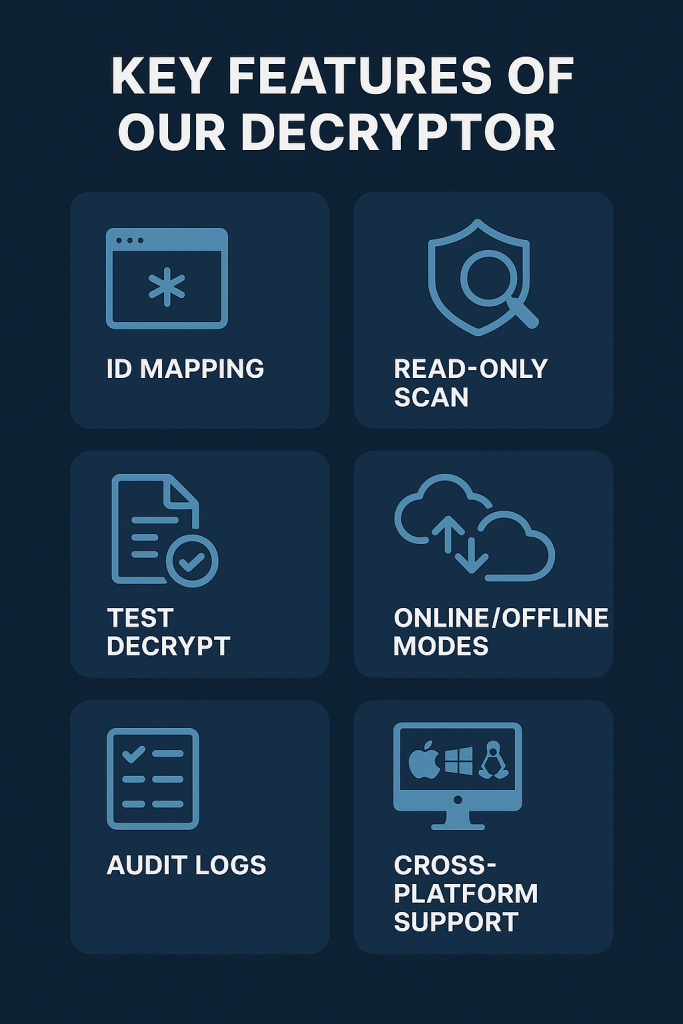
Key Features of the C77L Decryptor
Our C77L Decryptor has been designed to address the specific challenges posed by this ransomware family. Its main features include:
- Decryption ID Mapping: Reads the eight-character hexadecimal ID from ransom notes and file extensions to organize encrypted batches.
- Read-Only Analysis: Conducts scans without altering original data, ensuring evidence integrity.
- Sample File Testing: Allows one or two files to be decrypted for verification before committing to full recovery.
- Flexible Operation: Supports both secure cloud-assisted mode and completely offline, air-gapped execution.
- Data Integrity: Produces checksum-verified results along with detailed audit logs.
- Multi-Platform Support: Works in Windows environments, Linux-based recovery systems, and VMware ESXi virtual machines.
- Automatic Filename Restoration: Returns encrypted files like Invoice.[ID-80587FD8][[email protected]].3yk back to their original form, Invoice.pdf.
Steps to Use the C77L Decryptor
- Collect Artifacts
- Secure ransom notes (e.g., #Restore-My-Files.txt).
- Prepare several encrypted samples (.3yk, .8AA60918, .40D5BF0A, .mz4).
- Note down the victim-specific Decryption ID.
- Secure ransom notes (e.g., #Restore-My-Files.txt).
- Prepare a Recovery Host
- Use an isolated Windows or Linux machine.
- Ensure adequate disk space for decrypted outputs.
- Use an isolated Windows or Linux machine.
- Run a Read-Only Scan
- Launch the tool to analyze encrypted files.
- A detailed recovery report is generated, confirming ransomware signatures.
- Launch the tool to analyze encrypted files.
- Test Decryption
- Select one or two smaller files.
- Validate integrity with checksum comparison.
- Select one or two smaller files.
- Authorize Full Decryption
- Upon successful test results, proceed to batch decryption.
- Files are placed in a recovery directory with original naming restored.
- Upon successful test results, proceed to batch decryption.
- Validate the Output
- Review audit logs, integrity reports, and confirm data restoration accuracy.
Detection & Mitigation Checklist
- Secure Remote Access: Require MFA for VPNs and RDP. Disable unnecessary services.
- Endpoint Security: Deploy EDR tools capable of spotting ransom-note files and suspicious file patterns.
- Backups: Maintain frequent, offline, and immutable backup copies. Test restore procedures often.
- Least Privilege & Segmentation: Limit administrative rights and restrict lateral network movement.
- Network Monitoring: Watch for outbound transfers to services like Mega.nz, AnyDesk, or ngrok.
- Incident Response Playbooks: Prepare technical, legal, and PR communication strategies in advance.
How C77L Operates
File Renaming and Extensions
Encrypted files follow consistent renaming patterns:
- filename.[attacker-email].[8-hex]
- filename.[ID-8-hex][attacker-email].suffix
Observed in the wild:
- .[[email protected]].8AA60918
- .[[email protected]].40D5BF0A
- .[ID-BAE12624][[email protected]].mz4
- .[ID-80587FD8][[email protected]].3yk
These suffixes typically align with the Decryption ID displayed in ransom notes and are believed to be tied to disk volume serial numbers.
Ransom Notes and Messaging
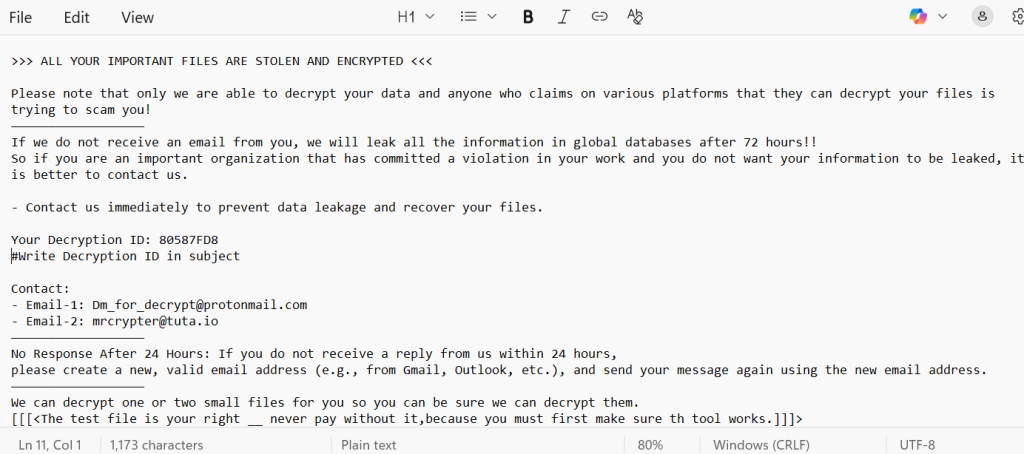
Note files appear under various names (#Restore-My-Files.txt, READ-ME.txt, etc.). They generally contain:
>>> ALL YOUR IMPORTANT FILES ARE STOLEN AND ENCRYPTED <<<
Please note that only we are able to decrypt your data and anyone who claims on various platforms that they can decrypt your files is trying to scam you!
——————————————————
If we do not receive an email from you, we will leak all the information in global databases after 72 hours!!
So if you are an important organization that has committed a violation in your work and you do not want your information to be leaked, it is better to contact us.
– Contact us immediately to prevent data leakage and recover your files.
Your Decryption ID: 80587FD8
#Write Decryption ID in subject
Contact:
– Email-1: [email protected]
– Email-2: [email protected]
——————————————————
No Response After 24 Hours: If you do not receive a reply from us within 24 hours,
please create a new, valid email address (e.g., from Gmail, Outlook, etc.), and send your message again using the new email address.
——————————————————
We can decrypt one or two small files for you so you can be sure we can decrypt them.
[[[<The test file is your right __ never pay without it,because you must first make sure th tool works.]]]>
IOCs: Indicators of Compromise
- Ransom Note Filenames: #Restore-My-Files.txt, #Recover-Files.txt, READ-ME.txt, READ-ME-Nullhexxx.txt.
- File Naming Patterns: *.[email].[8HEX] and *.[ID-8HEX][email].*.
- Encrypted File Headers: Strings like EncryptedByC77L, LockedByX77C, or EncryptRansomware.
- Attacker Emails: [email protected], [email protected], [email protected], [email protected], [email protected].
- Community Intel: GitHub repos such as f6-dfir/Ransomware maintain active YARA rules and notes.
Tools, TTPs, and MITRE ATT&CK Mapping
Although the full intrusion playbook remains unclear, known behavior includes:
- T1486 (Data Encrypted for Impact): File encryption with ransom notes left behind.
- Double Extortion: Threatening to release or sell data if payment is not made.
- Initial Access: Not well documented, but likely via RDP compromise, VPN brute force, phishing, or unpatched software vulnerabilities.
- Lateral Movement and Persistence: Assumed tactics include credential harvesting and privilege escalation, aligning with MITRE’s T1003.
Conclusion
The C77L/X77C ransomware family is one of the more advanced threats currently circulating. By combining AES + RSA hybrid encryption with double-extortion tactics, it leaves victims in a precarious position. File examples like .[ID-80587FD8][[email protected]].3yk and notes like #Restore-My-Files.txt are telltale signs of this infection.
As of now, no public decryptor is available. The most dependable recovery paths remain restoring from backups or using protected VM snapshots. Relying on ransom payment is uncertain and dangerous.
The best course of action: act quickly to contain the incident, safeguard encrypted evidence, and consult expert responders. Community-driven efforts — such as the BleepingComputer ransomware support forums and f6-dfir repositories — remain critical sources for updated IoCs and potential future decryptors.
MedusaLocker Ransomware Versions We Decrypt