AIR Ransomware Decryptor
AIR (Makop) ransomware has emerged as one of the more targeted and sophisticated variants in the ransomware ecosystem. It’s a derivative of the Makop family, known for its persistent attacks on both individual systems and enterprise infrastructure. What makes AIR particularly dangerous is its dual impact: not only does it encrypt data using robust cryptographic techniques, but it also targets VMware ESXi hosts, Windows servers, and NAS systems, essentially halting operations across virtual and physical environments.
This article will walk you through how AIR (Makop) operates, the damage it has caused, and how you can recover safely using our AIR (Makop) Decryptor Tool, a dedicated solution we’ve built to help victims restore data confidently and securely.
How AIR (Makop) Ransomware Works
AIR (Makop) ransomware spreads through phishing emails, Remote Desktop Protocol (RDP) brute-force attempts, and exploitation of unpatched software. Once inside a system, it silently encrypts files, renaming them with a .AIR extension and adding identifiers such as the victim’s ID and attacker’s email address:
Example:
invoice.docx → invoice.docx.[2AF20FA3].[[email protected]].AIR
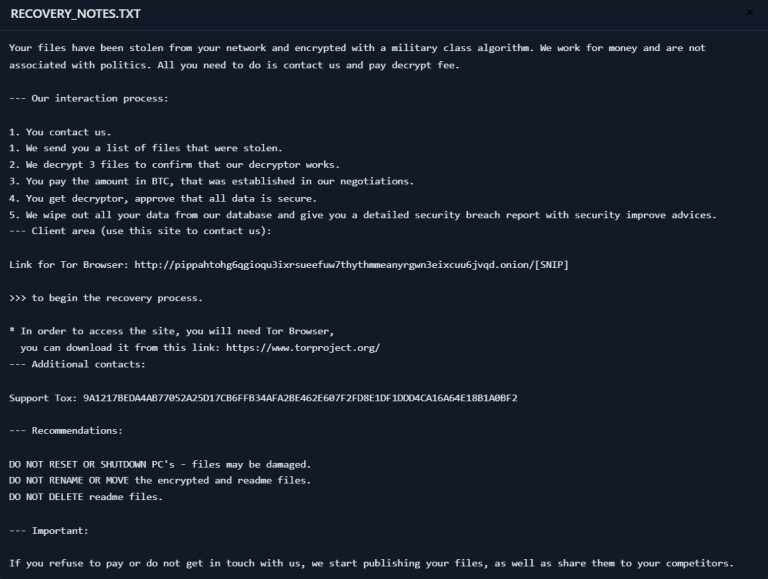
It also drops a ransom note titled +README-WARNING+.txt, which informs victims that their files are encrypted and can only be recovered by paying in cryptocurrency.
Attack Cycle Summary
- Infiltration: Gained via phishing, RDP, or software flaws
- Encryption: Files locked using AES + RSA encryption
- Ransom Demand: Cryptocurrency requested under time pressure
- Optional Data Leak: Threats to leak sensitive information
AIR (Makop) Decryptor Tool: The Best Way to Recover Your Data
Instead of paying cybercriminals, victims can recover their files using our AIR (Makop) Ransomware Decryptor Tool—an advanced decryption solution built to specifically target the encryption scheme used by AIR.
What Makes It Unique?
- Full Compatibility: Works with .AIR-encrypted files, including those renamed with email and ID suffixes
- Works on All Systems: Supports Windows Servers, ESXi environments, and NAS systems like QNAP
- Secure Server-Based Recovery: Uses private decryption keys stored on secure online servers
- No Risk to Data: Guaranteed to preserve file integrity during recovery
- User-Friendly: Designed for both IT professionals and non-technical users
- Money-Back Guarantee: If the tool doesn’t work, we refund—no questions asked
Real-World Victims of AIR (Makop) Ransomware
AIR (Makop) ransomware has already affected businesses across several regions and sectors. Here’s a breakdown based on known and suspected reports:
Victim Scenarios
- UK (Financial Services): A London-based financial firm had its servers encrypted, halting trading operations for 72 hours. They recovered using a decryptor and avoided paying the ransom.
- South Korea (Recruitment): HR departments received malicious “resume” attachments that triggered mass encryption events across shared drives.
- Italy & Europe (Corporate Enterprises): A regional campaign targeted Windows file servers and VMware environments across SMBs in Italy, Germany, and France.
- USA (Small Businesses, Connecticut): A group of local businesses saw critical data on file servers renamed to .mkp and .AIR, with ransom demands exceeding $30,000 USD.


These cases highlight just how damaging the attack can be—not just financially, but operationally and reputationally.
Specialized Variants Targeting ESXi and Windows Servers
On VMware ESXi Hosts
- Attack Mode: Encrypts entire virtual machines
- Impact: Shuts down all VM-dependent operations
- Encryption: Uses RSA and AES algorithms on VMDK files
- Recovery: Manual rollback is ineffective unless backups or a decryptor tool is available
On Windows Servers
- Target Vector: RDP brute force and exploit kits
- Encryption Scope: File shares, databases, and active directories
- Consequences: Extended downtime, breach notifications, and potential compliance penalties
How to Use the AIR (Makop) Ransomware Decryptor Tool
Here’s how the recovery process works with our decryptor:
- Purchase the Tool
Contact us via WhatsApp or email. Secure access to the decryptor is delivered instantly. - Launch as Administrator
For optimal performance, run the tool with admin rights and an active internet connection. - Enter Victim ID
Extract the unique ID from the ransom note and input it for targeted decryption. - Start Recovery
Click to begin. The decryptor contacts our secure server and begins restoring files without overwriting existing data.
Note: A stable internet connection is mandatory as the tool authenticates decryption keys from a private server.
How to Identify a Potential AIR (Makop) Infection
Watch for these symptoms:
- File Extensions Renamed: Files appear as .AIR with embedded victim ID/email
- Ransom Note Dropped: +README-WARNING+.txt appears in most folders
The actual ransom note message is as follows:
****** YOUR FILES HAVE BEEN ENCRYPTED ******
The file structure was not damaged, we did everything possible so that this could not happen.
If you wish to decrypt your files you will need to pay us.
****** YOU CAN WRITE US TO OUR MAILBOXES: [email protected] or [email protected] ******
****** IF YOU HAVN’T RECEIVED A RESPONSE. WRITE TO JABBER: [email protected] ******
Its just a business. We absolutely do not care about you and your deals, except getting benefits.
If we do not do our work and liabilities – nobody will cooperate with us. Its not in our interests.
To check the ability of returning files, you can send to us any 2 files with SIMPLE extensions (jpg,xls,doc, etc… not databases!)
And low sizes(max 1 mb), we will decrypt them and send back to you. That is our guarantee.
After payment we will send to you our scanner-decoder program and detailed instructions for use.
With this program you will be able to decrypt all your encrypted files.
****** ATTENTION ******
DON’T TRY TO CHANGE ENCRYPTED FILES BY YOURSELF !!!
If you will try to use any third party software for restoring your data or antivirus solutions – please make a backup for all encrypted files!
Any changes in encrypted files may entail damage of the private key and, as result, the loss all data.
When writing a letter, please indicate your ID in the subject. Your ID: … “

- Slow System Performance: Caused by active encryption processes
- Unusual Network Traffic: Connections to command-and-control servers for key negotiation
Encryption Techniques Used
- RSA (Rivest-Shamir-Adleman): Asymmetric encryption using public/private keys
- AES (Advanced Encryption Standard): Symmetric encryption used to lock file contents
- These methods make brute-force decryption nearly impossible without the exact key.
Free Alternatives for Recovery
If you cannot use our decryptor, consider:
- Check NoMoreRansom.org – Free decryptors (if a flaw exists)
- Volume Shadow Copies – vssadmin list shadows
- System Restore – Roll back to a pre-infection state
- Offline Backups – Restore data from disconnected devices
- File Recovery Tools – PhotoRec, Recuva for residual fragments
Best Practices to Defend Against AIR (Makop)
| Area | Best Practices |
|---|---|
| System Updates | Regular patching of OS, hypervisors, and software |
| Access Control | MFA, least privilege, strong password policies |
| Network Segmentation | Use VLANs, restrict RDP, isolate critical services |
| Backups | 3-2-1 backup rule: 3 copies, 2 media types, 1 offsite |
| Security Tools | EDR, antivirus, intrusion detection systems |
| User Training | Ongoing phishing awareness and IT hygiene education |
| Incident Response | Predefined IR plans and simulation exercises |
Conclusion
AIR (Makop) ransomware is not just another digital nuisance—it’s a professionally deployed attack campaign with devastating real-world consequences. But victims don’t need to choose between paying cybercriminals and losing everything. Our AIR (Makop) Decryptor Tool offers a verified, secure way to recover encrypted data without risk.
Whether you’re managing enterprise IT, running a small business, or responding to an active threat, remember: early detection, reliable backups, and tested recovery tools are your best defense.
MedusaLocker Ransomware Versions We Decrypt