
INL3 Ransomware Decryptor
In the evolving landscape of digital threats, INL3 ransomware emerges as a particularly insidious adversary. It represents a sophisticated class of malware designed not just to encrypt data, but to dismantle the very foundations of an organization’s digital infrastructure. Its signature tactic—the application of random, nonsensical file extensions—creates a chaotic environment designed to confuse, delay response, and amplify psychological distress. This is compounded by a high-pressure ransom note that weaponizes time to force victims into hasty, ill-advised decisions.
This playbook provides a step-by-step methodology for incident response, explores every viable data restoration pathway across Windows, Linux, and VMware ESXi platforms, and delves into the advanced techniques of data repair and system rebuilding. The ultimate goal is not merely recovery, but the transformation of your organization into a more resilient, secure, and cyber-aware entity.
Deconstructing the INL3 Threat: A Semantic Analysis
Before formulating a response, a deep, semantic understanding of the threat is crucial. INL3’s design is a study in psychological warfare and technical obfuscation.
Threat Profile and Technical Fingerprint
| Attribute | Detail |
|---|---|
| Threat Name | INL3 Ransomware |
| Threat Type | Ransomware, Crypto Virus, Files Locker |
| Platform | Windows, Linux, VMware ESXi |
| Encrypted Files Extension | Random (e.g., .hrydn2, .hiuyan2) |
| Ransom Demanding Message | Text file (name varies) |
| Free Decryptor Available? | Yes, our specialized INL3 Decryptor. |
| Ransom Amount | Varies, doubles after 48 hours. |
| Cyber Criminal Contact | [email protected], [email protected] |
| Detection Names | Varies by vendor; detected as a generic Trojan/Ransomware. |
The Ransom Note: A Masterclass in Psychological Manipulation
The INL3 ransom note is a carefully constructed message designed to short-circuit rational thought and exploit cognitive biases.
!!!Your files have been encrypted!!!

To recover them, please contact us via email:

Write the ID in the email subject

ID: BA6CFF287208C1CB27EEEF9C25152707

Email 1: [email protected]
Email 2: [email protected]

To ensure decryption you can send 1-2 files (less than 1MB) we will decrypt it for free.

IF 48 HOURS PASS WITHOUT YOUR ATTENTION, BRACE YOURSELF FOR A DOUBLED PRICE. WE DON'T PLAY AROUND HERE, TAKE THE HOURS SERIOUSLY.
Semantic Deconstruction of Tactics:
- Weaponizing Scarcity and Urgency: The 48-hour deadline is a classic psychological trigger. It creates a false sense of scarcity (of time) and urgency, pressuring victims into paying before they can consult experts, verify backups, or consider alternative recovery strategies.
- Establishing False Trust: The offer to decrypt one or two files for free is a “proof of life” tactic. It’s a calculated move to build a sliver of trust, demonstrating the attackers’ capability and reframing the ransom as a transactional fee rather than a criminal extortion.
- Projecting Control and Anonymity: The use of both a standard Gmail address and an anonymizing OnionMail address is a dual-purpose strategy. It provides a convenient contact method while simultaneously projecting an image of operational security and control, reinforcing the perception that they are professional, untouchable criminals.

Indicators of Compromise (IOCs) and Attack Behavior (TTPs)
Recognizing the attack is the first critical step toward containment.
Indicators of Compromise (IOCs):
- File Extension Anomaly: The most obvious indicator is the systematic renaming of files with new, random, and nonsensical extensions (e.g.,
document.pdf.hrydn2,photo.jpg.hiuyan2). This is a deliberate tactic to confuse automated defenses and delay user recognition of the encryption event. - Ransom Note Artifact: The presence of a text file containing the ransom message in directories with encrypted files.
- Unique Victim Identifier: The note contains a unique ID (e.g.,
BA6CFF287208C1CB27EEEF9C25152707) that must be included in all communications with the attackers. - Cross-Platform Encryption Footprint: Evidence of encryption on Windows, Linux, and on virtual machine files (
.vmdk,.vmx,.vmem) on an ESXi host.
MITRE ATT&CK TTPs:
- Initial Access (TA0001): INL3 gains entry through common vectors like phishing emails, exploiting unpatched software vulnerabilities (especially in remote access protocols like RDP), and using compromised credentials purchased on the dark web.
- Lateral Movement (TA0008): Once inside a network, the ransomware uses tools like PsExec or SMB exploits to spread laterally. It actively scans for open network shares and credentials stored in memory to access other machines, including critical Linux servers and ESXi hypervisors.
- Impact (TA0040): The primary impact is widespread data encryption. On ESXi, it doesn’t just encrypt files; it shuts down virtual machines, encrypts their configuration and disk files, and can even encrypt the ESXi host’s own file system, rendering the management interface inaccessible.
The Recovery Playbook – A Multi-Path Approach to Data Restoration
This is the core of your incident response. We will explore every viable path to data restoration, from the ideal scenario to the last resort.
The Direct Decryption Solution
The most direct path to recovery is using a tool specifically designed to reverse the encryption.
Our team has developed a specialized decryptor to counter the INL3 threat across all its targeted platforms. This tool is the result of deep cryptographic analysis of the INL3 strain.
Step-by-Step Guide:
- Step 1: Assess the Infection: Confirm the presence of the ransom note and identify the random file extensions. Note the unique victim ID from the note.
- Step 2: Secure the Environment: CRITICAL: Disconnect all infected devices, including servers and ESXi hosts, from the network to halt any further spread. Do not reboot systems unless absolutely necessary, as this can cause data loss.
- Step 3: Submit Files for Analysis: Send a few encrypted samples (under 5MB) and the ransom note file to our team. This allows us to confirm the INL3 variant and build an accurate recovery timeline.
- Step 4: Run the INL3 Decryptor: Launch the tool with administrative privileges (
sudoon Linux, “Run as Administrator” on Windows, or via SSH on ESXi). The decryptor connects securely to our servers to analyze encryption markers and file headers. - Step 5: Enter the Victim ID: The unique ID provided in the ransom note is required to generate a customized decryption profile.
- Step 6: Automated File Restoration: Once initiated, the decryptor verifies file integrity and restores data automatically, preserving original filenames and directory structures.
If our tool is not applicable, several public initiatives are invaluable. Always identify the ransomware strain before using any tool, as running the wrong decryptor can cause permanent damage.
- ID Ransomware Service: Use the free ID Ransomware service to upload the ransom note and a sample encrypted file. Find it at ID Ransomware.
- The No More Ransom Project: This is the most important resource, providing a centralized repository of free decryption tools. Find it at The No More Ransom Project.
- Major Security Vendor Decryptors: Check the websites of Emsisoft, Kaspersky, Avast, and Trend Micro for available tools.
In-Depth Recovery Scenarios by Platform
Here we detail the specific recovery methods for each platform INL3 targets.
Advanced Windows System Recovery
For Windows workstations and servers, the recovery path is well-established but requires careful execution.
- Windows File Versions (Shadow Copies): INL3 almost certainly attempts to delete these, but sometimes remnants remain. To check, right-click on an encrypted file, select
Properties, and go to thePrevious Versionstab. If a version exists, you can restore it. - Microsoft OneDrive/Cloud Backups: If you use OneDrive’s “Files On-Demand” feature, your files may have been continuously synced to the cloud. You can use the Version History feature in OneDrive to restore files to a state before the attack.
- System Image Backups: If you created a full system image backup using Windows’ built-in tools or a third-party utility, you can perform a bare-metal restore of the entire system to a point-in-time before the infection.
- EaseUS Data Recovery Wizard: A user-friendly tool that can recover lost, deleted, or formatted data. You can download it from the EaseUS website.
- Stellar Data Recovery: A powerful recovery application known for its scanning capabilities. Find it at the Stellar Data Recovery official site.
- Recuva: A free and effective tool for recovering deleted files. Download it from CCleaner’s official site.
Important Procedure: Install the data recovery software on a separate, clean computer. Then, connect the infected hard drive to it as an external drive.
Advanced Linux System Recovery
When a Linux server is hit by INL3, recovery requires a different set of tools and knowledge.
- Btrfs/ZFS Snapshots: If your file system is Btrfs or ZFS, you may have snapshots enabled. These are point-in-time, read-only copies of your file system that can be used to revert data to a state just minutes before the attack. This is often the fastest recovery method for file systems that support it.
- Rsync and Tar: For smaller setups, using
rsyncto sync data to an off-site location ortarto create compressed archives are common methods. If you have recentrsyncbackups ortararchives, you can restore from them. - Enterprise-Grade Backups (Veeam): Veeam provides robust protection for Linux environments, including support for agent-based backups of Linux servers and applications. It can create immutable backups that cannot be altered by the ransomware. Learn more at the official Veeam website.
- TestDisk & PhotoRec: These are powerful, free, and open-source data recovery utilities for Linux. TestDisk can recover lost partitions and repair boot sectors, while PhotoRec is designed to recover specific file types even if the file system is severely damaged. You can find them on the CGSecurity website.
- Foremost: Another console-based file recovery program that can recover files based on their headers, footers, and internal data structures. It is often included in Linux forensic toolkits.
Important Procedure: For the best chance of success, you should shut down the affected server, remove its hard drive, and attach it as a secondary drive to a separate, clean Linux machine. Then, run the data recovery software on that clean machine to scan the secondary drive.
VMware ESXi Hypervisor Recovery
An attack on an ESXi host is a critical business continuity event. INL3 encrypts the virtual machine files, effectively taking all hosted VMs offline.
- VMware vSphere Data Protection: If you were using a dedicated backup solution for vSphere, this is your primary recovery path. These solutions take image-level backups of VMs that can be restored to a new, clean host.
- Veeam Backup & Replication for VMware: Veeam is a market leader in this space, offering powerful, agentless backup of VMs with features like instant recovery and immutable backups. This is the gold standard for protecting virtualized environments.
- Restoring from Snapshots: If you took snapshots of your VMs before the attack, you can revert to them. However, be aware that INL3 may have deleted or corrupted these snapshots.
- Using a Linux Live CD: You can boot the ESXi host with a Linux live environment, mount the VMFS datastore (where the VM files are stored), and then use Linux data recovery tools like
PhotoRecto attempt to carve out unencrypted files from the encrypted.vmdkvirtual disks. This is a highly complex and low-probability operation. - Do Not Pay the Ransom: ESXi ransomware attacks are notoriously unreliable. Even after payment, attackers often fail to provide a working decryptor, or the decryptor itself may corrupt the VM files, making them unbootable.

Data Repairing and Rebuilding Techniques
Recovery is not just about decrypting files. It’s about restoring data integrity and rebuilding systems to a functional state.
Post-Decryption Data Integrity Verification
After running a decryptor, your work is not over. The decryption process, while restoring the file content, can sometimes introduce minor corruptions.
- Checksum Verification: If you have pre-attack checksums (e.g., MD5, SHA-256) for critical files, you can run a checksum utility on the decrypted files and compare them to the original values. This is the most reliable way to verify integrity.
- Application-Level Testing: Open a representative sample of decrypted files in their native applications. For example, open several Word documents, Excel spreadsheets, and PDFs. Look for formatting errors, missing content, or application crashes. For databases, run a consistency check (e.g.,
DBCC CHECKDBfor Microsoft SQL Server).
File and Database Repair Techniques
If corruption is detected, you must move to a repair phase.
- Microsoft Office File Repair: Microsoft Office has a built-in “Open and Repair” feature. In Word, for example, go to
File > Open, select the file, click the dropdown arrow on the “Open” button, and choose “Open and Repair.” - Third-Party File Repair Tools: For severely corrupted files, specialized tools exist. For example, Stellar Repair for Word, Excel Repair Toolbox, or a variety of PDF repair tools can often recover data from files that won’t open in their native applications.
- Database Repair: This is a highly specialized field.
- MySQL: Use the
mysqlcheckutility with the--repairflag. - Microsoft SQL Server: The primary tool is
DBCC CHECKDB. It can identify and often repair corruptions. In severe cases, you may need to restore from a backup and then replay transaction logs up to the point of failure. - Oracle: Oracle has a powerful suite of recovery tools, including RMAN (Recovery Manager) and the
DBMS_REPAIRpackage.
- MySQL: Use the
System and Application Rebuilding
In many cases, especially with server and ESXi infections, the cleanest and safest path forward is to rebuild from scratch.
- The “Bare Metal” Rebuild Principle: For any critical server (Windows, Linux, or ESXi), the most secure recovery method is to:
- Wipe the server’s physical or virtual disks completely.
- Reinstall the operating system from a clean, known-good source.
- Harden the new OS installation with all current security patches.
- Reinstall applications from clean installers.
- Restore data from your verified, clean backups.
- ESXi Rebuild: This involves reinstalling the ESXi hypervisor on the host, reconfiguring networking and storage, and then restoring your VMs from your dedicated backup solution. Do not attempt to “clean” an infected ESXi host; it cannot be trusted.
- Configuration Management: To speed up the rebuilding process, use configuration management tools like Ansible, Puppet, or Chef. These tools allow you to automate the entire server build and hardening process, ensuring consistency and reducing the chance of human error.
Essential Incident Response and Prevention
A full response includes containment, eradication, and future prevention.
Containment and Eradication
- Isolate All Systems: Immediately disconnect all infected machines, including servers, ESXi hosts, and storage appliances, from the network.
- Remove the Malware: Use a reputable antivirus or anti-malware program to scan for and remove the ransomware executable on all affected systems.
- Change All Credentials: Assume that credentials have been compromised and change passwords for all user accounts, administrators, and service accounts across the entire network, including ESXi and vCenter.
Hardening Your Defenses with Modern Protection
- Endpoint Protection Platforms (EPP/EDR): Solutions like SentinelOne Singularity™ Endpoint and CrowdStrike Falcon focus on preventing ransomware by identifying and neutralizing threats using behavioral AI.
- Network Segmentation: Segment your network to prevent lateral movement. Ensure that critical storage systems and ESXi management interfaces are not accessible from general-purpose user workstations.
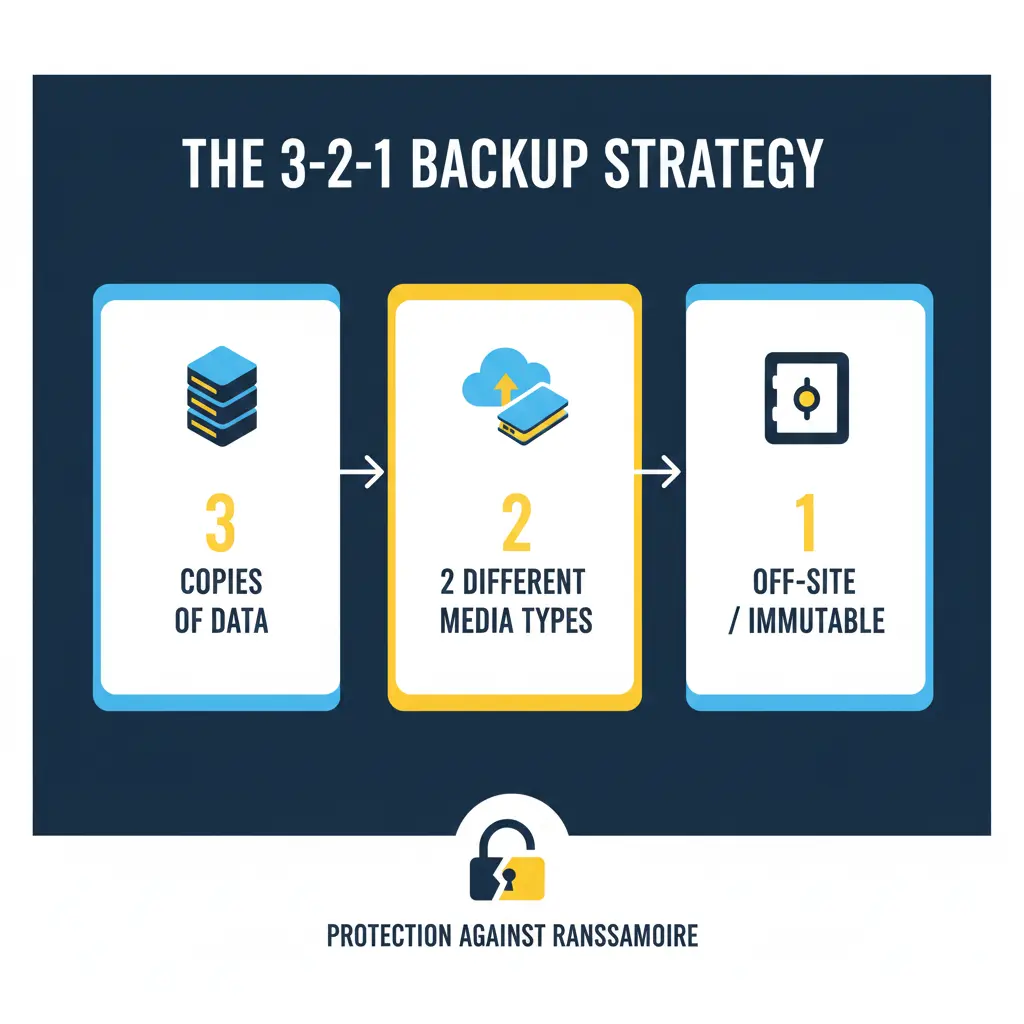
- The 3-2-1 Backup Rule: Maintain at least three copies of your data, on two different types of media, with one copy stored off-site or in the cloud. Test your backups regularly.
- Secure Storage and Virtualization Management: Change default passwords on all NAS, SAN, and ESXi management interfaces. Enable snapshot features and ensure they are configured with a retention policy that meets your recovery point objectives (RPO).
Post-Recovery: Securing Your Environment and Ensuring Resilience
This critical phase begins after your files have been restored.
- Step 1: Verify Data Integrity and Completeness: Check restored files for corruption and completeness.
- Step 2: Conduct a Full System Scan: Run a full, deep scan of your entire environment using a reputable antivirus or anti-malware solution.
- Step 3: Fortify All Credentials: Change all user, admin, service, and cloud passwords. Enforce the use of strong, unique passwords for every account.
- Step 4: Patch and Update Everything: Update the OS and all third-party applications on all systems to close security holes.
- Step 5: Reconnect to the Network Cautiously: Monitor for unusual activity upon reconnection.
- Step 6: Implement or Strengthen a 3-2-1 Backup Strategy: Create or improve a robust backup system and test it regularly.
- Step 7: Perform a Post-Incident Analysis: Review how the attack happened. Use this knowledge to improve user training and security policies.
Reporting Obligations
Report the incident to help combat cybercrime and fulfill potential legal obligations.
- Report to Law Enforcement: In the US, file a complaint with the FBI’s IC3. In the UK, report to Action Fraud.
- Report to CISA: The U.S. Cybersecurity & Infrastructure Security Agency (CISA) urges reporting via its portal.
Conclusion
The INL3 ransomware represents a significant and sophisticated threat due to its strong encryption, high-pressure tactics, and dangerous ability to cripple entire storage and virtualized infrastructures. However, like all ransomware, it can be defeated with a calm, methodical, and prepared response. The path to resilience begins with a multi-layered security posture that combines advanced endpoint protection, robust network segmentation, and a disciplined 3-2-1 backup strategy that includes immutable snapshots for both servers and network storage devices. Paying the ransom only fuels the criminal ecosystem and offers no guarantee of a positive outcome. By understanding the tactics of threats like INL3 and preparing accordingly, you can transform a potential catastrophe into a manageable incident, ensuring that your data—and your peace of mind—remain secure.
MedusaLocker Ransomware Versions We Decrypt