Flyware Ransomware: Complete Recovery
Flyware Ransomware: Complete Recovery & Analysis Guide
Quick Navigation
- 1. Executive Summary: The Flyware Threat
- 2. Threat Intelligence & Technical Specifications
- 3. Anatomy of an Attack (The Kill Chain)
- 4. The Complete Ransom Note Analysis
- 5. Phase 1: Detection & Threat Hunting (Scripts Included)
- 6. Phase 2: Immediate Containment Protocol
- 7. Phase 3: Cryptographic Triage & Recovery
- 8. Phase 4: Post-Incident Hardening & Resilience
1. Executive Summary: The Flyware Threat
The ransomware landscape is constantly introducing volatile, fast-moving variants. Discovered by security researchers during late 2026 telemetry analysis, the Flyware ransomware is a highly disruptive threat that targets both individual workstations and small-to-medium enterprise networks. While it may lack the polished infrastructure of massive Ransomware-as-a-Service (RaaS) operations like LockBit, its encryption speed and privilege escalation techniques make it exceptionally dangerous.
Upon breaching a network, the Flyware payload rapidly encrypts mission-critical data, appending the .flyware extension to all impacted files. A critical document originally named quarterly_report.xlsx is instantly locked and rendered useless as quarterly_report.xlsx.flyware. Following encryption, the malware drops a minimalist text file titled RECOVERY.txt across the compromised directories.
Notably, the operators behind Flyware utilize Discord as their primary communication channel (specifically the handle derpresser). The use of consumer-grade gaming chat applications for extortion often indicates a younger, highly volatile threat actor group. These actors are notoriously unpredictable; paying them carries a significantly higher risk of a “cut-and-run” scenario where no decryption tool is ever delivered. Furthermore, heuristic analysis (such as Kaspersky’s HEUR:Exploit.Win32.BypassUAC.b flag) indicates the malware actively exploits User Account Control (UAC) to escalate its privileges autonomously.
This exhaustive playbook provides IT administrators and incident responders with a clear, actionable roadmap based on the NIST Incident Response framework. It details how to execute immediate containment, hunt for the remaining payload, navigate the chaotic extortion threat, and structurally secure the network.
2. Threat Intelligence & Technical Specifications
To successfully counter a Flyware ransomware deployment, defenders must understand the adversary’s technical footprint. The variant relies on bypassing UAC and potentially spying on user behavior prior to encryption.
| Threat Designation | Flyware Ransomware |
|---|---|
| Encrypted File Extension Pattern | .flyware |
| Ransom Note Filename | RECOVERY.txt |
| Free Decryptor Available? | No. Specialized cryptographic intervention is required. |
| Actor Contact Method | Discord: derpresser |
| Antivirus Detection Names | HEUR:Exploit.Win32.BypassUAC.b (Kaspersky), Win64/Spy.Agent.FO (ESET), Gen:Heur.Ransom.Imps.1 (Combo Cleaner) |
| Primary Initial Access Vector | Phishing emails, malicious macros, pirated software cracks, and malvertising. |
| Defense Evasion | UAC Bypass (User Account Control exploitation) to run with elevated privileges silently. |
3. Anatomy of an Attack (The Kill Chain)
Flyware relies heavily on tricking users into executing malicious code, followed by rapid, automated privilege escalation.
- Initial Compromise: Attackers distribute the Flyware payload via phishing emails disguised as invoices or legal notices. The malware is also frequently packaged inside software cracks, keygens, and torrent downloads.
- Privilege Escalation (Bypass UAC): Once the executable is triggered by the user, Flyware utilizes known Windows exploits (flagged as
BypassUAC.b) to silently elevate its privileges to Administrator without triggering the standard “Yes/No” Windows security prompt. - Reconnaissance & Spyware Functionality: AV heuristics (like ESET’s
Spy.Agent.FO) suggest that before encrypting the drive, the malware may harvest saved browser passwords, session tokens, or cryptocurrency wallets. - Encryption & Extortion: Running with system-level privileges, Flyware disables local recovery options, encrypts all target data using robust cryptographic algorithms, appends the
.flywareextension, and drops theRECOVERY.txtransom note.
4. The Complete Ransom Note Analysis
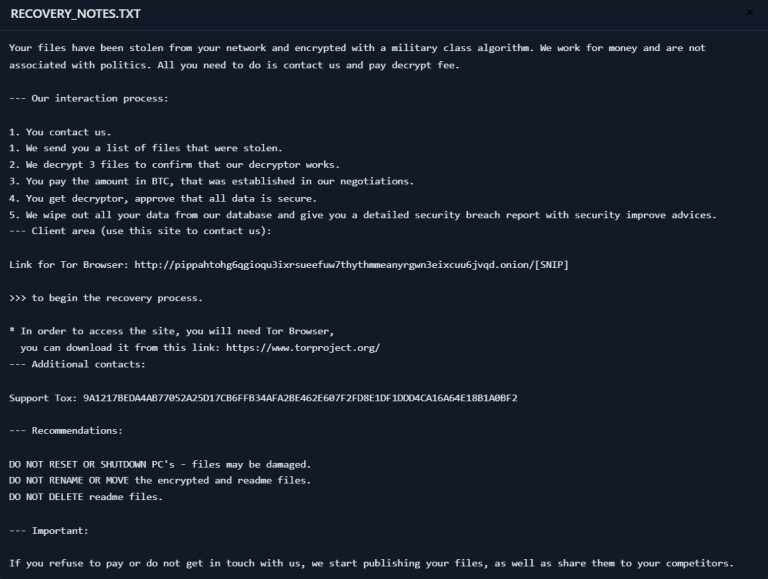
During an active incident, the ransom note is vital forensic evidence. Flyware utilizes a very brief text file. Below is the complete text.
derpresser on Discord. This is highly unprofessional for a ransomware group. Discord accounts are easily banned by the platform’s Trust & Safety team. If you wait too long to establish contact, or if you report the user, the account will be deleted, and your only link to the decryption key will be gone forever. Do not contact them directly and do not report the account yet. Let professional DFIR firms secure the communication channel.
Your files have been secured. Reference ID: 003bdca4e7df0665 To restore access, contact: derpresser (Discord) Provide your Reference ID when contacting. Do not modify .flyware files or attempt third-party recovery.
5. Phase 1: Detection & Threat Hunting
Upon discovering the .flyware extension, rapid network-wide detection is required to identify all compromised assets and locate the initial payload.
Actionable PowerShell Threat Hunt
Deploy this PowerShell script via your centralized management console (e.g., SCCM, PDQ Deploy, or EDR Live Response) to audit endpoints for Flyware indicators:
# ==============================================================================
# Decryptors.org Incident Response Script: Flyware Ransomware Audit
# Target: Windows Endpoints (Run as Administrator)
# ==============================================================================

Write-Host "Starting Flyware Network Audit..." -ForegroundColor Cyan

# 1. Check for encrypted file extensions in critical user directories
$testPaths = @("$env:USERPROFILE\Documents", "$env:USERPROFILE\Desktop", "C:\Data")
$infectionFound = $false

foreach ($path in $testPaths) {
    if (Test-Path $path) {
        $encryptedFiles = Get-ChildItem -Path $path -Filter "*.flyware" -Recurse -ErrorAction SilentlyContinue
        if ($encryptedFiles.Count -gt 0) {
            Write-Warning "[!] CRITICAL: Encrypted .flyware files detected in $path"
            $infectionFound = $true
        }
    }
}

# 2. Check for the presence of the specific ransom note
$ransomNote = Get-ChildItem -Path C:\ -Filter "RECOVERY.txt" -Recurse -Depth 3 -ErrorAction SilentlyContinue | Where-Object { Select-String -Path $_.FullName -Pattern "derpresser|flyware" -Quiet }

if ($ransomNote) {
    Write-Warning "[!] CRITICAL: Flyware ransom note (RECOVERY.txt) discovered."
    $infectionFound = $true
}

# 3. Check for suspicious UAC bypass or Spyware artifacts in AppData
$appDataPaths = @("$env:APPDATA", "$env:LOCALAPPDATA")
foreach ($adPath in $appDataPaths) {
    $suspiciousExes = Get-ChildItem -Path $adPath -Filter "*.exe" -Recurse -ErrorAction SilentlyContinue
    if ($suspiciousExes.Count -gt 0) {
        Write-Warning "[!] Warning: Executables found in AppData directories. Review immediately for malicious payload."
    }
}

if ($infectionFound) {
    Write-Warning ">>> IMMEDIATE ENDPOINT ISOLATION REQUIRED. DO NOT REBOOT. <<<"
} else {
    Write-Output "[i] No immediate signs of Flyware infection on this endpoint."
}
6. Phase 2: Immediate Containment Protocol
HALT ALL RESTORATION ATTEMPTS IMMEDIATELY. Attempting to restore files from clean backups onto an actively infected system will result in immediate re-encryption. If the spyware component remains active, the attackers may also steal newly entered credentials.
- Physical and Logical Isolation: Sever network connections at the switch level. Disconnect all affected servers and workstations from the LAN and WAN. Do not power down or reboot the servers. Rebooting clears volatile memory (RAM), which destroys vital forensic evidence and purges potential decryption keys residing in memory.
- Assume Credential Compromise: Because the malware exhibits
Spy.Agentcharacteristics, assume all passwords typed on the infected machine have been stolen. Force a global password reset for any accounts accessed from the infected host. - Secure Backup Repositories: Immediately sever all logical and physical connections to SANs, NAS devices, tape drives, and cloud backup gateways to protect your historical data.
- Halt Scheduled Tasks: Disable all automated backup and replication schedules to ensure that encrypted
.flywarefiles do not overwrite your clean historical backups.
7. Phase 3: Cryptographic Triage & Recovery
Once absolute containment is verified and the initial access vector has been definitively patched, the organization can transition to the recovery phase.
Method 1: The Gold Standard - Restoring from Immutable Backups
The only mathematically guaranteed method for overcoming a Flyware attack is a full architectural restoration from verified, immutable, or completely air-gapped backups.
- The "Clean Room" Rebuild: Because Flyware operates with elevated privileges and spyware capabilities, you cannot simply delete the
.flywarefiles and assume the workstation is safe. Affected hard drives must be entirely formatted. Perform a bare-metal OS reinstallation on all impacted hosts. - Credential Rotation: Assume all Active Directory credentials touched by the infected machine are compromised. Force a password reset for those users and service accounts.
- Sequenced Restoration: Safely migrate your data back from your offline backups into the newly rebuilt, clean environment.
Method 2: Cryptographic Response & Handling Extortion
If your organization lacks immutable backups, the situation requires extreme caution. Dealing with volatile threat actors operating over Discord is incredibly risky. They are prone to taking ransom payments and abandoning the chat channel entirely.
If an extortion payment is facilitated as an absolute last resort to recover mission-critical data, you must utilize professional incident response negotiators. You must follow a strict, isolated automated decryption workflow:
- Never decrypt on production hardware. The decryption tool provided by the threat actor via Discord may be bundled with secondary malware or data stealers.
- Clone the encrypted drives using professional forensic imaging software.
- Mount the cloned drives on an isolated, air-gapped forensic workstation.
- Run the decryption utility against the clone, never the original encrypted files.
- Verify the file integrity of the decrypted data.
8. Phase 4: Post-Incident Hardening & Resilience
Surviving a Flyware attack is a grueling operational challenge. The response to the infection must serve as a catalyst for a comprehensive enterprise security overhaul, specifically targeting credential hygiene and endpoint privilege management.
- Enforce the Principle of Least Privilege (PoLP): Regular users must not have local administrator rights on their workstations. The
BypassUACexploits utilized by Flyware are far less effective if the user account does not possess the inherent rights required to modify system-level configurations. - Harden Email Security & Disable Macros: Because Flyware is frequently distributed via malicious attachments, implement strict DMARC, SPF, and DKIM policies. Disable Microsoft Office macros globally via Group Policy.
- Implement Immutable Storage Vaults: A modern Veeam 3-2-1-1 backup structure is strictly mandatory. You must incorporate immutable repositories (such as Linux Hardened Repositories or AWS S3 with Object Lock). Immutable storage guarantees that once backup data is written, it cannot be modified, encrypted, or deleted.
- Deploy Endpoint Detection and Response (EDR): Deploy behavior-based EDR/XDR platforms configured to automatically isolate network adapters on hosts that attempt mass file modifications, execute suspicious UAC bypass techniques, or exhibit spyware-like credential dumping behaviors.
The Flyware ransomware represents a highly destructive, financially motivated threat that exploits fundamental endpoint security failures and utilizes volatile consumer chat channels for extortion. Navigating this crisis requires a cool head, adherence to strict incident response frameworks, and a methodical approach to containment. Should this playbook highlight gaps in your current defensive posture, treat it as a mandate to immediately overhaul your enterprise IT infrastructure.