CyberHazard Ransomware Decryptor
Leveraging in-depth analysis of CyberHazard’s MedusaLocker-derived code, our security engineers have created a custom decryptor that works across both Windows and server ecosystems. This advanced tool has already helped numerous businesses restore access to vital systems without paying a ransom demand.
It is fully compatible with modern Windows workstations, domain-based environments, and virtual platforms. The decryptor is designed for accuracy, stability, and to ensure minimal downtime during restoration.
How Our Data Recovery Process Functions
We use a combination of forensic investigation and secure cloud-based decryption systems to deliver the highest chance of success while ensuring file integrity is preserved.
Key stages include:
- Cryptographic Key Mapping – The victim ID from the ransom note (HOW_TO_GET_DATA_BACK.html) is matched to the correct decryption key pool.
- Data Integrity Checks – A read-only scan is performed on encrypted content to identify corruption risks before recovery begins.
- Universal Recovery Mode – For clients missing their ransom note, we offer a premium decryptor with compatibility for the latest CyberHazard builds.
Critical Steps Immediately After Infection
If you discover a CyberHazard attack, time is of the essence. These measures will help prevent further impact and improve recovery success:
- Disconnect the compromised machine from all networks to stop ransomware propagation.
- Preserve ransom notes and sample encrypted files without altering them.
- Avoid rebooting infected systems, as this can trigger re-encryption scripts.
- Engage an experienced ransomware recovery specialist as soon as possible.
Methods for Retrieving Data Encrypted by CyberHazard
CyberHazard uses a combination of RSA and AES encryption to lock files, adding the .cyberhazard suffix. While victims are often told they must pay for a decryption key, some flaws in earlier variants and forensic restoration options can allow safe recovery without payment.
Our proprietary decryptor can restore files in certain supported variants without any interaction with the attackers.
Evaluation of Recovery Strategies
1. Backup Restoration
Restoring from offline or offsite backups remains the safest approach. Systems must be completely cleaned and secured before loading backups to avoid reinfection.
2. Snapshot Reversion
Businesses using VMware ESXi or similar hypervisors can roll back to snapshots taken before the attack. This is only possible if snapshots remain untouched by the ransomware.
3. Free Tools for Legacy Variants
While no public decryptor exists for the most recent CyberHazard strain, older MedusaLocker-based versions may be partially recovered with utilities such as Emsisoft Decryptor for MedusaLocker or Kaspersky RakhniDecryptor. These only work on variants with weaker encryption and are ineffective against modern .cyberhazard builds.
4. Paid or Negotiated Decryption
Paying a ransom is risky and discouraged due to legal concerns, data integrity issues, and the possibility of non-compliance by attackers. If payment is attempted, the victim ID is used to generate a unique decryption key. Some organizations work with negotiators who verify attacker legitimacy, lower the demanded ransom, and test decryption before payment.
Our Specialized CyberHazard Decryptor
Built using reverse engineering of CyberHazard’s encryption methods, our decryptor is informed by in-depth MedusaLocker research and dynamic cryptographic analysis.
Features include:
- Reverse-Engineered Core – Derived from detailed malware disassembly and tracking of encryption execution paths.
- Cloud or Air-Gapped Modes – Allows both secure online and offline recovery depending on operational needs.
- Full Audit Logging – Each recovered file is logged with a verification record to confirm authenticity.
Structured CyberHazard File Restoration Process
- Identify .cyberhazard files and verify ransom note presence.
- Disconnect infected endpoints from any network connections.
- Submit encrypted samples and ransom notes for analysis.
- Launch the CyberHazard decryptor as an administrator.
- Input the victim ID to initiate the recovery process.
- Inspect and confirm the restored data before resuming operations.
Understanding the CyberHazard Operation
CyberHazard, part of the MedusaLocker family, quickly encrypts files across networked devices. It also practices double extortion — threatening to leak stolen data if payment is not made.
The ransom note instructs victims to reach out via [email protected] or [email protected], warning that costs increase after 72 hours.
Infection Vectors Used by CyberHazard
- Malicious Email Attachments – Delivered via phishing messages containing infected files.
- Cracked Software and Keygens – Malicious payloads embedded in pirated programs.
- Exploiting Weaknesses – Targeting outdated or unpatched systems.
- Fake Alerts and Malvertising – Deceptive pop-ups prompting the installation of malware.
Encryption and Data Removal Process
CyberHazard applies RSA + AES hybrid encryption, making manual decryption impractical. It changes the desktop wallpaper and deletes restore points, blocking simple recovery attempts.
Attack Techniques, IOCs, and Tooling Associated with CyberHazard
Initial Compromise Methods
Entry is often gained via phishing attachments, exploitation of unpatched software, or infected installers from unofficial sources. It can also spread through pirated downloads and compromised USB devices.
Credential Collection and Scanning
Attackers may deploy tools like Mimikatz or LaZagne to extract stored credentials. Network scanners such as Advanced IP Scanner are used to map reachable systems.
Maintaining Access and Avoiding Detection
Persistence is achieved by abusing built-in admin tools like PowerShell and WMIC, as well as modifying the registry or creating scheduled tasks.
File Locking Mechanism
Data is encrypted with RSA + AES, tagged with the .cyberhazard extension, and ransom notes (HOW_TO_GET_DATA_BACK.html) are dropped in affected directories.
Data Theft and Remote Control
For double extortion, stolen files may be transferred with Rclone, WinSCP, or FileZilla, and remote tools like AnyDesk may be installed for continued access.
Documented Indicators of Compromise
- Extension: .cyberhazard
- Ransom Note: HOW_TO_GET_DATA_BACK.html
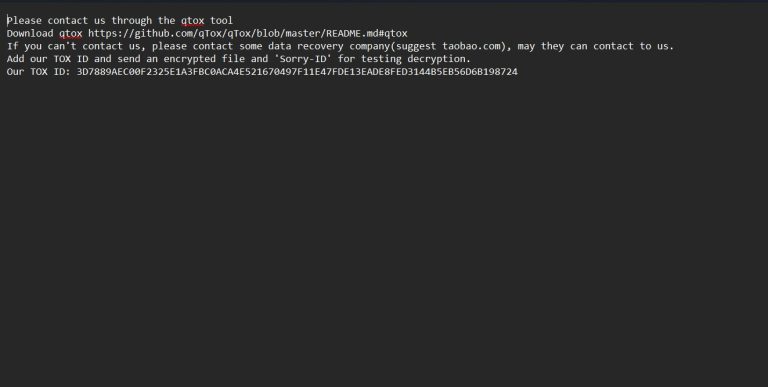
This ransom note contains the following message:
Your personal ID:
–
YOUR COMPANY NETWORK HAS BEEN PENETRATED
Your files are safe! Only modified.(RSA+AES)
ANY ATTEMPT TO RESTORE YOUR FILES WITH THIRD-PARTY SOFTWARE WILL PERMANENTLY CORRUPT IT. DO NOT MODIFY ENCRYPTED FILES. DO NOT RENAME ENCRYPTED FILES.
No software available on internet can help you. We are the only ones able to solve your problem. We gathered highly confidential/personal data. These data are currently stored on a private server. This server will be immediately destroyed after your payment. If you decide to not pay, we will release your data to public or re-seller. So you can expect your data to be publicly available in the near future.. We only seek money and our goal is not to damage your reputation or prevent your business from running. You will can send us 2-3 non-important files and we will decrypt it for free to prove we are able to give your files back.
Contact us for price and get decryption software.
email:
* To contact us, create a new free email account on the site: protonmail.com
IF YOU DON’T CONTACT US WITHIN 72 HOURS, PRICE WILL BE HIGHER.
The wallpaper is also changed to the following:

- Attacker Emails: [email protected], [email protected]
- Registry Alterations: Potentially disable security measures and backup services
- Unusual Traffic: Connections to malicious IP addresses or C2 servers
- Dropped Artifacts: Modified wallpapers containing ransom instructions
Victim Profile and Trends
Top Countries Impacted:

Industries Targeted:

Attack Timeline:

Preventative Measures Against CyberHazard
- Keep all systems updated with the latest patches.
- Avoid unknown links and email attachments.
- Use reputable antivirus with real-time scanning.
- Maintain offline or immutable backups.
- Segment networks to contain potential breaches.
Conclusion
While CyberHazard presents a serious risk to data and operations, swift isolation, expert analysis, and proven recovery tools can help organizations regain control without financing criminal activity. Acting fast and applying the right solutions significantly reduces downtime and losses.
MedusaLocker Ransomware Versions We Decrypt