
LURK Ransomware Decryptor
A new and aggressive ransomware variant, identified as LURK, has been discovered targeting individuals and businesses. Security analysis confirms that LURK is a direct variant of the notorious Sojusz ransomware family, inheriting its cross-platform capabilities and its dangerous ability to target a wide range of storage architectures, including NAS, SAN, and DAS. This malware encrypts files and appends a complex extension containing a victim ID and attacker email.
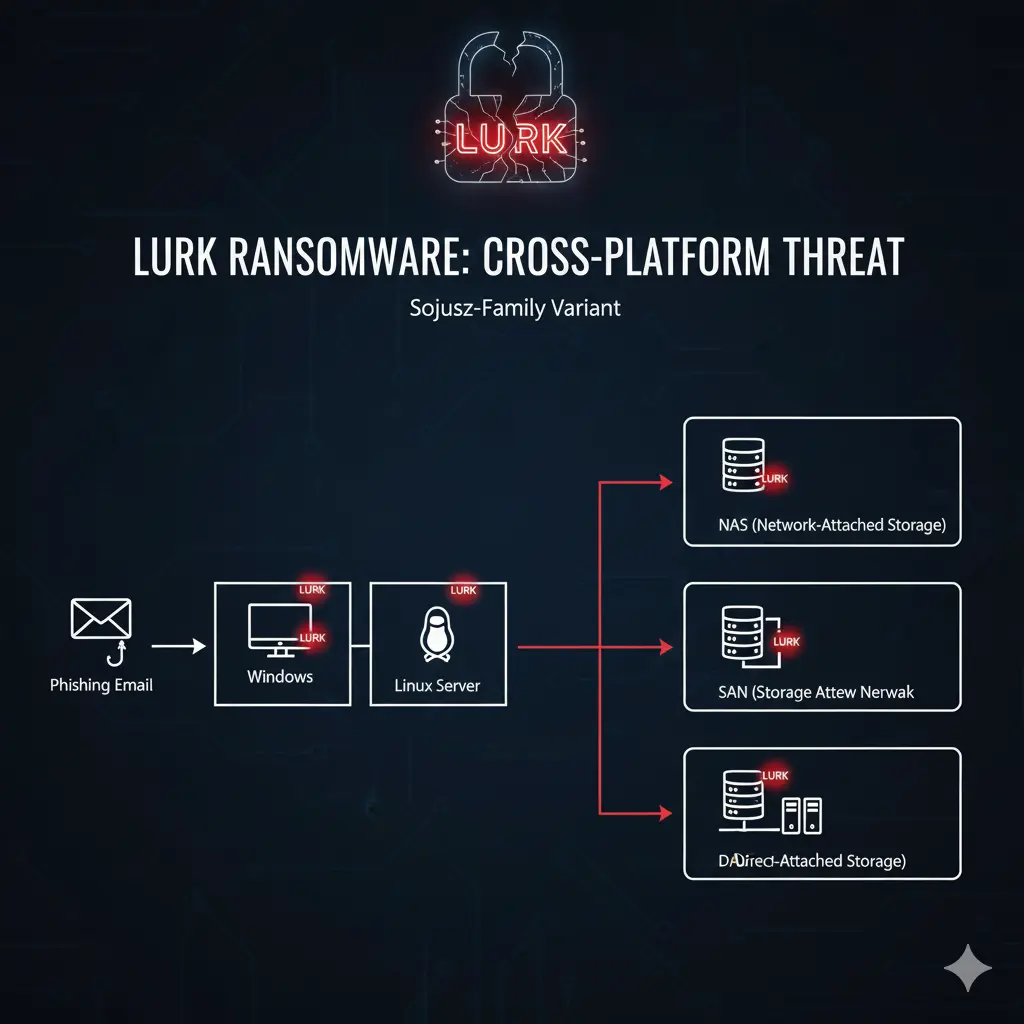
This guide provides a comprehensive, in-depth playbook for understanding the LURK threat, utilizing our specialized Sojusz-family decryptor, and performing advanced recovery operations across all affected systems and storage types.
| Attribute | Detail |
|---|---|
| Threat Name | LURK Ransomware (Sojusz Variant) |
| Threat Type | Ransomware, Crypto Virus, Files Locker |
| Platform | Windows, Linux |
| Encrypted Files Extension | [victim_ID].[attacker_email].lurk |
| Ransom Demanding Message | README_WARNING.txt |
| Free Decryptor Available? | Yes, our specialized Sojusz-family Decryptor. |
| Ransom Amount | Varies, typically demanded in cryptocurrency. |
| Cyber Criminal Contact | [email protected], [email protected], [email protected] |
| Detection Names | Varies by vendor; likely detected as Sojusz or Makop. |
Decoding the Threat: The LURK Ransomware’s Deceptive Playbook
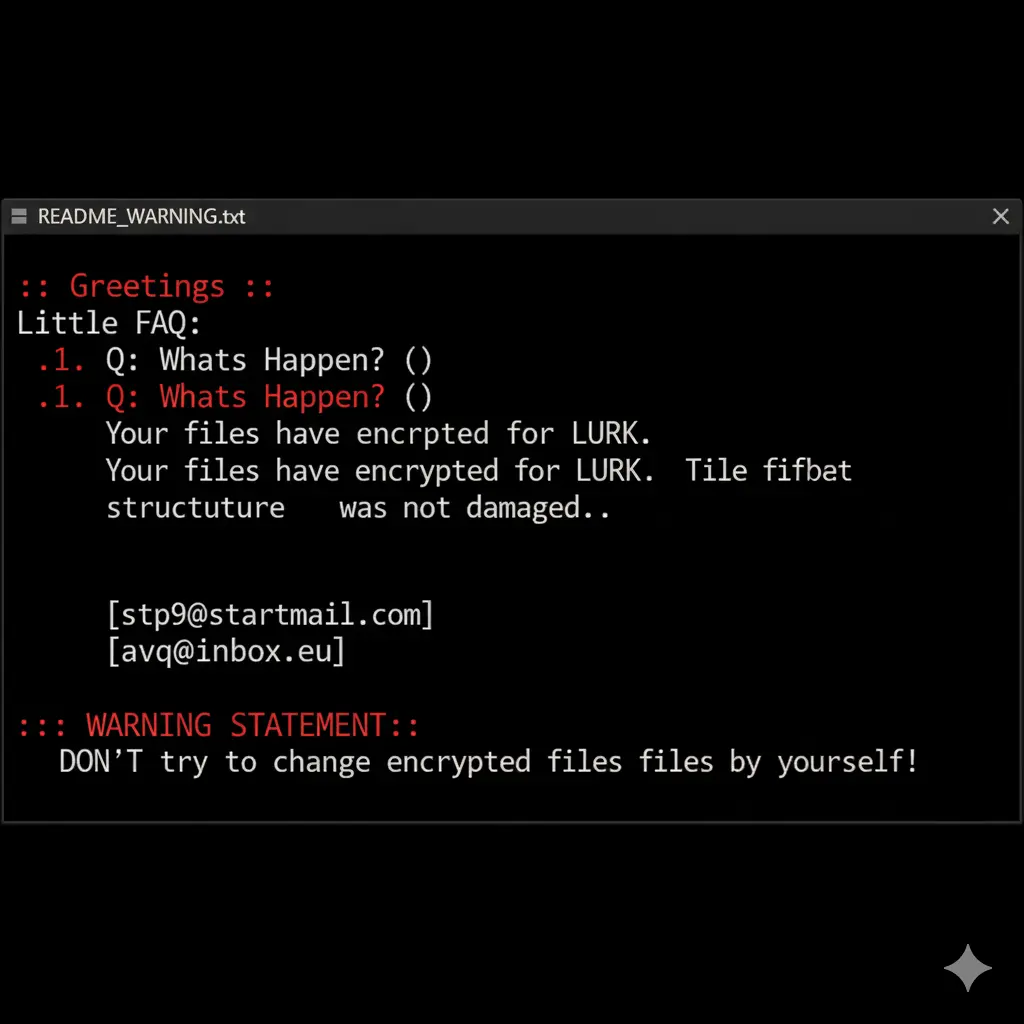
The LURK attackers use a text file named README_WARNING.txt to communicate their demands. The note is structured as a FAQ to appear helpful, but its primary purpose is to intimidate the victim, establish a monopoly on decryption, and sow distrust in any external help. Its connection to the Sojusz family means it inherits the same dangerous capabilities to traverse networks and encrypt storage.
The text presented in the ransom note reads as follows:
::: Greetings :::

Little FAQ:

.1. Q: Whats Happen? ):
Your files have been encrypted for LURK. The file structure was not damaged, we did everything possible so that this could not happen.

.2. Q: How to recover files? ):
If you wish to decrypt your files you will need to pay us you can send a three small files for testing,'excel ,word,txt,jpg' something. As a guarantee of our decryption ability.

.3. Q: How to contact with you? ):
You can write us to our 3 mailboxes:If we do not reply within 24 hours, it means that the mailbox has been blocked, please contact our backup mailbox. (please in subject line write your ID: 7cbe4bb106) :::WARNING STATEMENT::: DON’T try to change encrypted files by yourself! We have never posted any decrypted videos on youtube, any SNS, please don’t trust those crooks who post so-called decrypted videos choose to trust them, unless you have a lot of money! If you need decryption, please contact us via our email, we will only get in touch with you via email. The private key for decryption only exists in our hands, and only we can help decrypt files in this world !!
Indicators of Compromise (IOCs) and Attack Behavior
Recognizing the signs of a LURK infection is the first critical step. The malware’s distinct file-naming convention and its Sojusz lineage are its most obvious fingerprints.
Indicators of Compromise (IOCs):
- File Extension: The most obvious indicator is the appended extension in the format
[victim_ID].[attacker_email].lurk(e.g.,document.pdf.[7cbe4bb106].[[email protected]].lurk). - Ransom Note File: The presence of a text file named
README_WARNING.txtin directories containing encrypted files. - Cross-Platform Encryption: Evidence of encryption on both Windows and Linux machines within the same network, a hallmark of its Sojusz heritage.
- Network Storage Encryption: Encrypted files on mapped network drives, NAS shares, or volumes presented from a SAN.
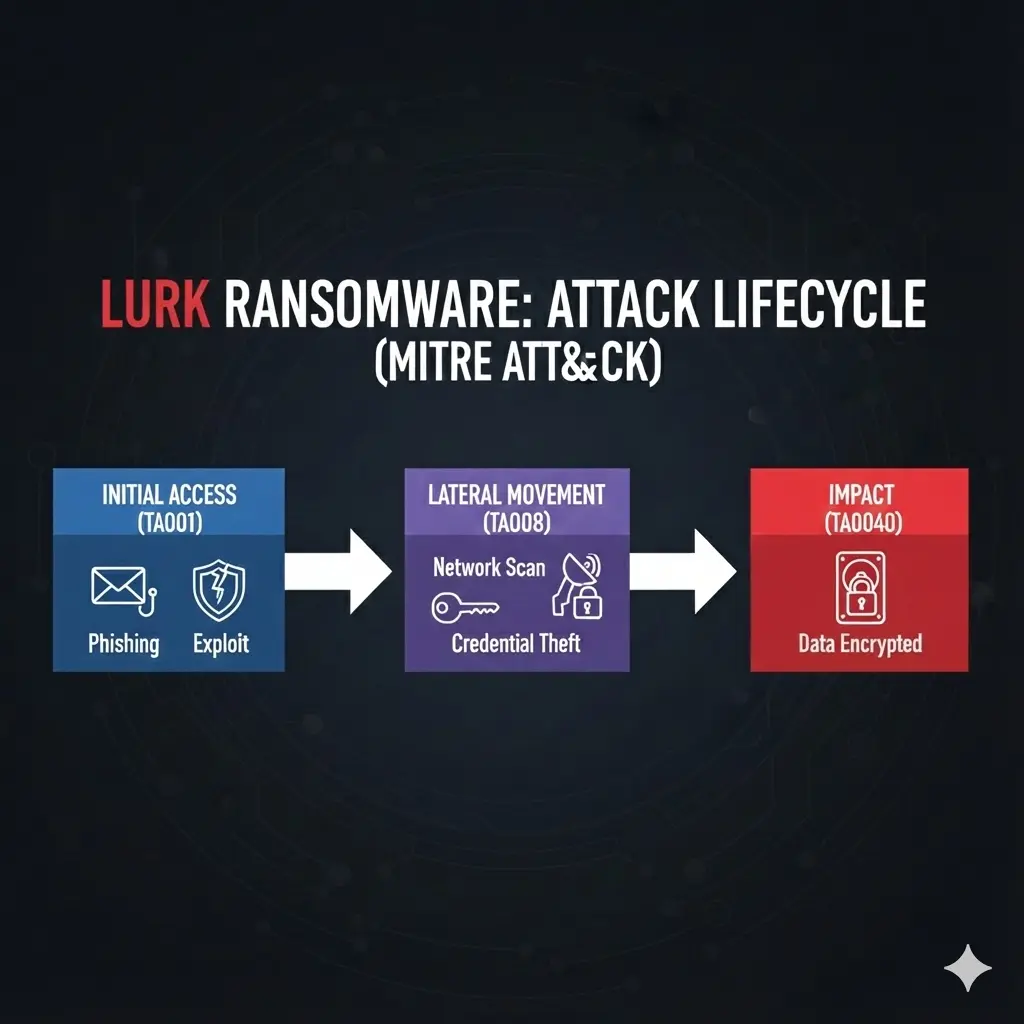
Tactics, Techniques, and Procedures (TTPs) with MITRE ATT&CK Framework:
- Initial Access (TA0001): LURK, like its Sojusz predecessor, gains entry through phishing emails, exploiting unpatched software vulnerabilities, and compromised credentials.
- Lateral Movement (TA0008): Once inside, the ransomware moves laterally across the network, using stolen credentials or exploits to infect other machines, including critical Linux servers and accessible storage systems.
- Impact (TA0040): The primary impact is widespread data encryption across multiple platforms and storage architectures, leading to massive operational disruption.
The Recovery Playbook: A Multi-Path Approach to Data Restoration
This core section outlines the primary methods for recovering your LURK encrypted data, with a special focus on our decryptor and advanced recovery scenarios.
Path 1: The Direct Decryption Solution with Our Sojusz-Family Decryptor
The most direct and safest path to recovery is using our specialized tool, developed to counter the Sojusz family and its variants, including LURK.
Our team has developed a specialized decryptor to counter the Sojusz threat. Because LURK is a variant, this tool is highly effective at reversing the encryption without needing to interact with the attackers.
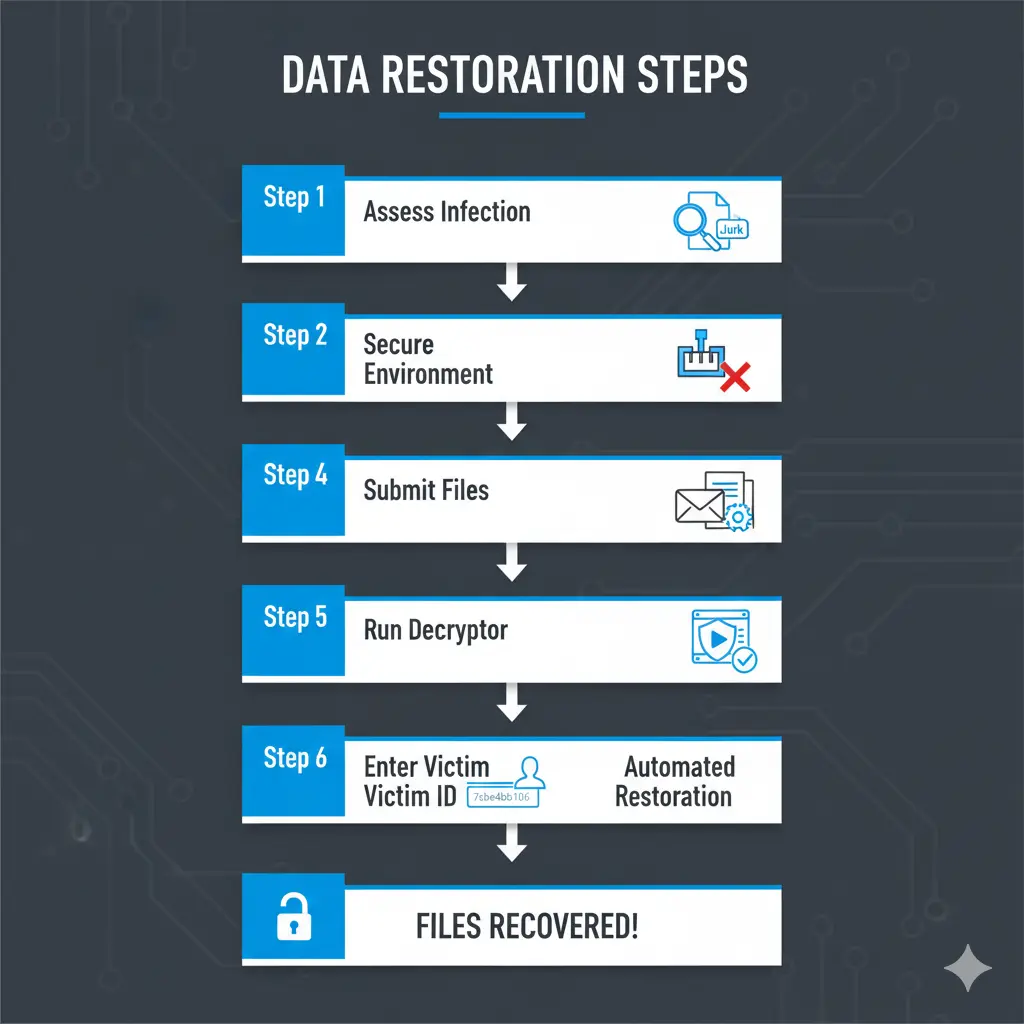
Step-by-Step Guide:
- Step 1: Assess the Infection: Confirm the presence of the
README_WARNING.txtfile and identify the unique file-naming pattern (.lurkextension) on both Windows and Linux systems. - Step 2: Secure the Environment: Disconnect all infected devices, including servers and storage appliances, from the network to halt any further spread.
- Step 3: Submit Files for Analysis: Send a few encrypted samples (under 5MB) and the ransom note file to our team. This allows us to confirm the LURK variant and build an accurate recovery timeline.
- Step 4: Run the Sojusz-Family Decryptor: Launch the tool with administrative privileges (
sudoon Linux, “Run as Administrator” on Windows). The decryptor connects securely to our servers to analyze encryption markers and file headers. - Step 5: Enter the Victim ID: The unique ID provided in the file extension (e.g.,
7cbe4bb106) is required to generate a customized decryption profile. - Step 6: Automated File Restoration: Once initiated, the decryptor verifies file integrity and restores data automatically, preserving original filenames and directory structures.
If our tool is not applicable, several public initiatives are invaluable. Always identify the ransomware strain before using any tool, as running the wrong decryptor can cause permanent damage.
- ID Ransomware Service: Use the free ID Ransomware service to upload the ransom note and a sample encrypted file. Find it at ID Ransomware.
- The No More Ransom Project: This is the most important resource, providing a centralized repository of free decryption tools. Find it at The No More Ransom Project.
- Major Security Vendor Decryptors: Check the websites of Emsisoft, Kaspersky, Avast, and Trend Micro for available tools.
In-Depth Recovery Scenarios
Path 2: Advanced Linux System Recovery
When a Linux server is hit by LURK, recovery requires a different set of tools and knowledge.
- Btrfs/ZFS Snapshots: If your file system is Btrfs or ZFS, you may have snapshots enabled. These are point-in-time, read-only copies of your file system that can be used to revert data to a state just minutes before the attack.
- Rsync and Tar: If you have recent
rsyncbackups ortararchives, you can restore from them. - Enterprise-Grade Backups (Veeam): Veeam provides robust protection for Linux environments, including support for agent-based backups. It can create immutable backups that cannot be altered by the ransomware. Learn more at the official Veeam website.
- TestDisk & PhotoRec: These are powerful, free, and open-source data recovery utilities for Linux. TestDisk can recover lost partitions, while PhotoRec is designed to recover specific file types. You can find them on the CGSecurity website.
- Foremost: Another console-based file recovery program that can recover files based on their headers and footers.
Important Procedure: For the best chance of success, you should shut down the affected server, remove its hard drive, and attach it as a secondary drive to a separate, clean Linux machine.
Path 3: System Repair and Diagnostics with Bootable Environments
LURK can damage system files or prevent booting. Bootable environments are essential for accessing and repairing your system.
Hiren’s BootCD is a legendary tool for IT professionals. The modern “PE” (Preinstallation Environment) version is a bootable Windows PE that contains a suite of useful tools for system recovery and repair.
- How it Works: You boot your computer from a USB drive or CD containing Hiren’s BootCD. This loads a mini Windows environment that runs entirely from the bootable media, bypassing your infected hard drive.
- Useful Tools: It includes a web browser, file managers, and tools for resetting Windows passwords, checking the hard drive for errors, and removing malware. It is an invaluable utility for gaining control of a compromised system. You can download it from the official Hiren’s BootCD website.
- MediCat USB: A highly-regarded and extremely comprehensive bootable toolkit designed for PC troubleshooting and repair.
- Sergei Strelec’s WinPE: A very popular and powerful alternative in the technical community, praised for its extensive collection of tools.
- SystemRescue: A Linux-based rescue system available as a bootable ISO or USB. It is designed for repairing unbootable computers and recovering data. Find it at the SystemRescue website.
- Ultimate Boot CD (UBCD): A veteran, free bootable recovery disk that consolidates numerous diagnostic, repair, and system maintenance tools.
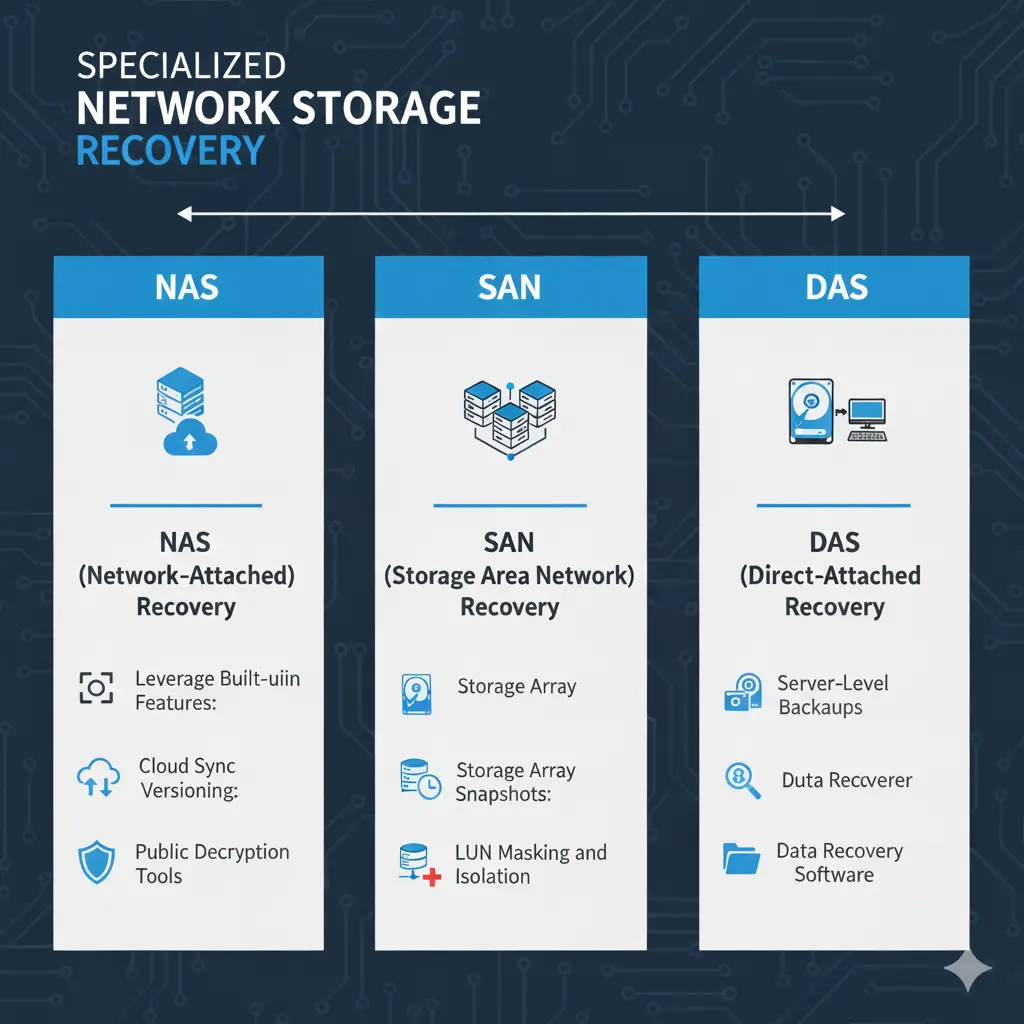
Path 4: Specialized Network Storage Recovery (NAS, SAN, DAS)
LURK’s Sojusz heritage means it is fully capable of targeting network storage, making recovery more complex. The approach depends on the storage architecture.
NAS devices (e.g., Synology, QNAP) are prime targets because they are often less secured and contain vast amounts of data.
- Leverage Built-in Features: The most effective method for NAS devices is Snapshots. Brands like Synology and QNAP have a snapshot feature that takes point-in-time, read-only copies of your data. These snapshots are often invisible to ransomware and can be used to revert shared folders to a state just minutes before the attack.
- Cloud Sync Versioning: If your NAS was configured to sync files to a cloud service like Google Drive, Dropbox, or OneDrive, you may be able to use the version history features of those services to restore your files to an unencrypted state.
- Public Decryption Tools: You may be able to mount the NAS volumes as a drive on a clean PC and run our Sojusz-family decryptor directly on them.
SANs provide block-level storage to servers. Recovery happens at the server level, but the SAN itself offers powerful protection.
- Storage Array Snapshots: Enterprise SANs (from vendors like Dell EMC, NetApp, HPE) have robust snapshot and cloning capabilities. These are the most effective way to recover entire LUNs (Logical Unit Numbers) to a point-in-time before the attack.
- LUN Masking and Isolation: Immediately isolate the infected servers from the SAN by using LUN masking in the SAN management console to prevent the ransomware from encrypting more volumes.
DAS is storage directly connected to a single server (e.g., via SAS, USB, or internal drives). The recovery process is identical to recovering from the server’s local drives.
- Server-Level Backups: Recovery depends entirely on the backup strategy for the server to which the DAS is attached.
- Data Recovery Software: If no backups exist, you must treat the DAS drives as you would any other hard drive: remove them, connect them to a clean system, and run data recovery software like TestDisk or PhotoRec.
Essential Incident Response and Prevention
A full response includes containment, eradication, and future prevention.
Containment and Eradication
- Isolate All Systems: Immediately disconnect all infected machines, including servers and storage appliances, from the network.
- Remove the Malware: Use a reputable antivirus or anti-malware program to scan for and remove the ransomware executable on all affected systems.
- Change All Credentials: Assume that credentials have been compromised and change passwords for all user accounts, administrators, and service accounts across the entire network.
Hardening Your Defenses with Modern Protection
- Endpoint Protection Platforms (EPP/EDR): Solutions like SentinelOne Singularity™ Endpoint and CrowdStrike Falcon focus on preventing ransomware by identifying and neutralizing threats using behavioral AI.
- Network Segmentation: Segment your network to prevent lateral movement. Ensure that critical storage systems are not accessible from general-purpose user workstations.
- The 3-2-1 Backup Rule: Maintain at least three copies of your data, on two different types of media, with one copy stored off-site or in the cloud. Test your backups regularly.
- Secure Storage Management: Change default passwords on all NAS and SAN management interfaces. Enable snapshot features and ensure they are configured with a retention policy that meets your recovery point objectives (RPO).
Post-Recovery: Securing Your Environment and Ensuring Resilience
This critical phase begins after your files have been restored.
- Step 1: Verify Data Integrity and Completeness: Check restored files for corruption and completeness.
- Step 2: Conduct a Full System Scan: Run a full, deep scan of your entire environment using a reputable antivirus or anti-malware solution.
- Step 3: Fortify All Credentials: Change all user, admin, service, and cloud passwords. Enforce the use of strong, unique passwords for every account.
- Step 4: Patch and Update Everything: Update the OS and all third-party applications on all systems to close security holes.
- Step 5: Reconnect to the Network Cautiously: Monitor for unusual activity upon reconnection.
- Step 6: Implement or Strengthen a 3-2-1 Backup Strategy: Create or improve a robust backup system and test it regularly.
- Step 7: Perform a Post-Incident Analysis: Review how the attack happened. Use this knowledge to improve user training and security policies.
Reporting Obligations
Report the incident to help combat cybercrime and fulfill potential legal obligations.
- Report to Law Enforcement: In the US, file a complaint with the FBI’s IC3. In the UK, report to Action Fraud.
- Report to CISA: The U.S. Cybersecurity & Infrastructure Security Agency (CISA) urges reporting via its portal.
Conclusion
The LURK ransomware, as a Sojusz variant, represents a significant and sophisticated threat due to its strong encryption, manipulative ransom note, and dangerous ability to cripple entire storage infrastructures. However, like all ransomware, it can be defeated with a calm, methodical, and prepared response. The path to resilience begins with a multi-layered security posture that combines advanced endpoint protection, robust network segmentation, and a disciplined 3-2-1 backup strategy that includes immutable snapshots. Paying the ransom only fuels the criminal ecosystem and offers no guarantee of a positive outcome. By understanding the tactics of threats like LURK and preparing accordingly, you can transform a potential catastrophe into a manageable incident, ensuring that your data—and your peace of mind—remain secure.
MedusaLocker Ransomware Versions We Decrypt